Best Architecture Practice Management Software 2025: Complete Guide for Firms
Running an architecture practice involves far more than creating beautiful designs. From managing client relationships and project timelines to coordinating with consultants and tracking profitability, the business side of architecture requires robust systems to ensure success. The right architecture practice management software can transform how your firm operates, helping you deliver exceptional client service while maintaining healthy profit margins.
In this comprehensive guide, we’ll explore the best architecture practice management software options available in 2025, helping you choose the solution that best fits your firm’s unique needs and workflow requirements.
What is Architecture Practice Management Software?
Architecture business management software is a specialized business management platform designed to handle the unique operational needs of architecture firms. Unlike generic project management tools, these solutions understand the specific workflow of architectural practices, from initial client consultation through design development, planning approvals, construction administration, and project completion.
The best architecture practice management software integrates multiple business functions into one cohesive platform, eliminating the need to juggle separate tools for client management, project tracking, document storage, time tracking, and financial management.
Key Features Every Architecture Firm Needs
Project Management and Timeline Tracking
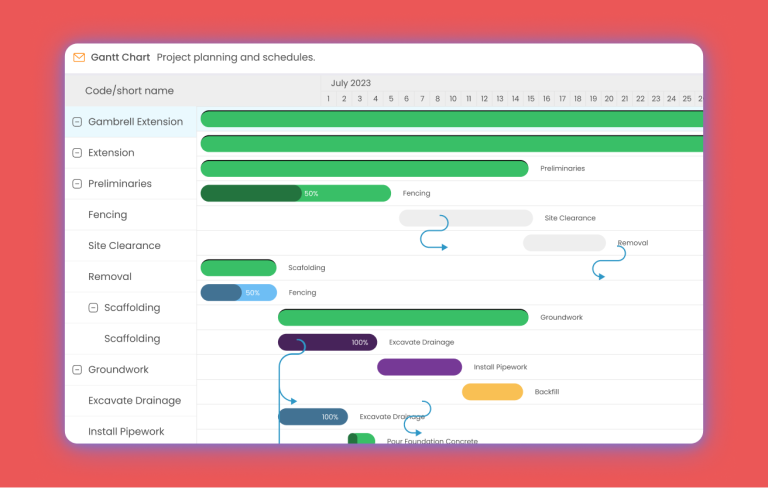
Architecture projects are complex, multi-phase endeavors that require careful coordination. The best software provides visual project timelines, Gantt charts, and milestone tracking to ensure projects stay on schedule. Look for solutions that allow you to break projects into phases (schematic design, design development, construction documents, etc.) with clear deliverables and deadlines.
Client Relationship Management
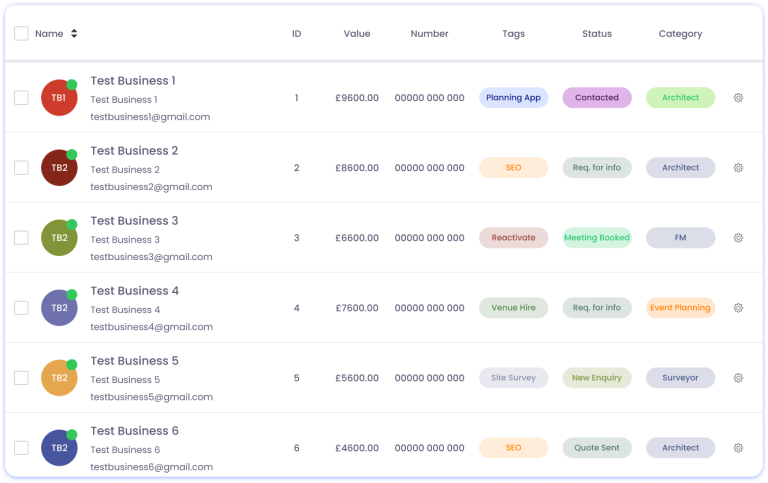
Managing client relationships is crucial for architecture firms. Your software should provide a complete view of each client, including contact information, project history, communication logs, and preferences. This ensures consistent service delivery and helps identify opportunities for additional work.
Document Management and Version Control
Architecture firms generate and manage thousands of documents, drawings, and specifications. Effective document management features include secure storage, version control, easy sharing capabilities, and integration with design software like AutoCAD and Revit.
Time Tracking and Resource Allocation
Understanding how time is spent on projects is essential for profitability. Look for software that makes time tracking simple for your team while providing detailed reporting on project profitability and resource utilization.
Financial Management and Invoicing
From project budgeting to invoice generation, financial management features help you maintain healthy cash flow and understand project profitability. The best solutions integrate with popular accounting software while providing architecture-specific financial reporting.
Top Architecture Practice Management Software Solutions
1. CQ Business Management Software
CQ stands out as a comprehensive business management platform specifically designed for service businesses like architecture firms. What sets CQ apart is its focus on the complete business workflow, not just project management.
Key Strengths:
•Complete client lifecycle management from inquiry to project completion
•Integrated project management with visual timelines and task boards
•Secure document management with client portals for easy sharing
•Built-in time tracking and profitability analysis
•Comprehensive communication tools for both internal and client communication
•HR management features for team coordination and compliance
Best For: Architecture firms looking for an all-in-one solution that handles both project management and business operations without requiring multiple software subscriptions.
Pricing: Starting at £199/month with comprehensive features included.
2. Monograph
Monograph is purpose-built for architecture firms and focuses heavily on project management and financial tracking. It offers strong integration with design software and provides detailed project analytics.
Key Strengths:
•Architecture-specific project templates and workflows
•Strong financial reporting and budget tracking
•Integration with popular design software
•Time tracking with project phase breakdown
Limitations:
•Limited client relationship management features
•Requires additional tools for comprehensive business management
•Higher learning curve for non-technical team members
Best For: Established firms with existing business systems who need strong project and financial management.
3. Deltek Vision
Deltek Vision is an enterprise-level solution designed for larger architecture and engineering firms. It offers comprehensive project management, financial management, and business intelligence features.
Key Strengths:
•Robust financial management and reporting
•Advanced project analytics and forecasting
•Strong integration capabilities
•Comprehensive HR and resource management
Limitations:
•Complex implementation and high cost
•Overkill for smaller firms
•Requires dedicated IT support
Best For: Large architecture firms with complex project portfolios and dedicated IT resources.
4. BigTime
BigTime focuses on time tracking and project management for professional services firms, including architecture practices.
Key Strengths:
•Excellent time tracking capabilities
•Strong project budgeting and reporting
•Good mobile app for field work
•Integration with popular accounting software
Limitations:
•Limited client relationship management
•Basic document management features
•Requires additional tools for comprehensive business management
Best For: Firms primarily focused on improving time tracking and project profitability.
How to Choose the Right Software for Your Architecture Firm
Assess Your Current Workflow
Before selecting software, map out your current business processes. Identify pain points in client management, project coordination, document handling, and financial tracking. This assessment will help you prioritize features and identify which software best addresses your specific challenges.
Consider Your Firm Size and Growth Plans
Different solutions work better for different firm sizes. Smaller firms often benefit from all-in-one solutions like CQ that provide comprehensive functionality without complexity. Larger firms might need more specialized tools or enterprise solutions with advanced customization options.
Evaluate Integration Requirements
Consider how new software will integrate with your existing tools. If you’re heavily invested in specific design software or accounting systems, ensure your chosen solution offers seamless integration or data exchange capabilities.
Factor in Implementation and Training
The best software is only effective if your team actually uses it. Consider the learning curve, training requirements, and ongoing support offered by each vendor. Solutions with intuitive interfaces and comprehensive support tend to see higher adoption rates.
Calculate Total Cost of Ownership
Look beyond monthly subscription fees to understand the total cost of ownership. Factor in implementation costs, training time, integration expenses, and any additional tools you might need to supplement the primary software.
Implementation Best Practices
Start with a Pilot Project
Begin implementation with a single project or small team to test workflows and identify any issues before rolling out firm-wide. This approach allows you to refine processes and train super-users who can help with broader implementation.
Migrate Data Systematically
Plan your data migration carefully, starting with the most critical information. Clean up existing data before migration to ensure you’re not carrying forward outdated or duplicate information.
Provide Comprehensive Training
Invest in proper training for all team members. Most software vendors offer training programs, and the time invested upfront pays dividends in user adoption and productivity gains.
Establish Clear Processes
Use the implementation as an opportunity to standardize and improve your business processes. Document new workflows and ensure all team members understand their roles and responsibilities.
Measuring Success and ROI
Key Performance Indicators
Track specific metrics to measure the success of your new software implementation:
•Project delivery times and deadline adherence
•Client satisfaction scores and retention rates
•Project profitability and margin improvement
•Time spent on administrative tasks
•Team productivity and utilization rates
Regular Review and Optimization
Schedule regular reviews to assess how well the software is meeting your needs. Most solutions offer analytics and reporting features that can help identify areas for improvement or additional training needs.
Future-Proofing Your Technology Investment
Cloud-Based Solutions
Choose cloud-based solutions that offer automatic updates, scalability, and remote access capabilities. This ensures your software stays current with industry standards and security requirements.
API and Integration Capabilities
Select software with robust API capabilities and a track record of developing integrations with other tools. This flexibility allows you to adapt as your needs change and new technologies emerge.
Vendor Stability and Support
Research the vendor’s financial stability, development roadmap, and customer support quality. A solution is only as good as the company behind it, so choose vendors with strong track records and commitment to ongoing development.
Conclusion
Selecting the right architecture practice management software is a critical decision that can significantly impact your firm’s efficiency, profitability, and growth potential. While there are several excellent options available, the key is finding a solution that aligns with your specific needs, workflow, and growth plans.
For architecture firms looking for a comprehensive, easy-to-implement solution that handles both project management and business operations, CQ Business Management Software offers an excellent balance of functionality, usability, and value. Its focus on the complete business workflow makes it particularly well-suited for firms wanting to streamline operations without managing multiple software subscriptions.
Whatever solution you choose, remember that the best software is the one your team will actually use consistently. Prioritize user experience, comprehensive training, and ongoing support to ensure your investment delivers the expected returns in improved efficiency and profitability.
Ready to transform your architecture practice management? Book a free demo to see how the right software can streamline your operations and support your firm’s growth.