## Project management problems common to service businesses
Projects for service businesses fail for predictable reasons: unclear scope, poor scheduling, missing materials, and limited visibility into progress. These issues compound quickly — jobs run late, costs increase, and client satisfaction falls. The solution is not more meetings; it is disciplined processes supported by the right systems.
Across hundreds of demonstrations with growing service businesses, we consistently see the same patterns and the same fixes work.
## Principles to stop projects going off-track
Apply these core principles to reduce delays and overruns.
- Define scope before work starts. Ambiguity fuels scope creep and dispute. Capture deliverables, exclusions and acceptance criteria in one place.
- Plan with actionable tasks, not vague milestones. Break jobs into discrete, assignable tasks with durations and dependencies.
- Assign clear accountability. Every task needs an owner who is accountable for delivery and escalation.
- Manage materials and labour together. Shortages are a schedule problem as much as a procurement problem.
- Use change control. Capture variations formally and tie them to budgets and approvals.
## Operational visibility is not optional
You cannot manage what you cannot see. Connected workflows create operational visibility — that single sentence explains why systems matter.
Visibility means real-time status on tasks, resources and materials. It means being able to answer: Which jobs are at risk this week? Which teams are idle? What invoices are outstanding? If you cannot answer those questions on demand, you are operating reactively.
## Tactical practices you must implement today
Start with a handful of concrete controls that produce immediate improvement.
- Daily stand-ups with data, not opinions. Use task lists and status flags pulled from your system.
- Forecast weekly resource requirements. Match people to tasks before the week starts.
- Enforce materials cut-offs for critical-path items. Track deliveries against the schedule.
- Standardise job packs. Create templates for repeatable work to reduce pre-start errors.
- Reconcile progress with budgets weekly. Flags on cost-to-date versus forecast reveal overruns early.
## Use software to enforce the process — not replace it
Software is effective when it enforces your processes and eliminates manual work.
Implement a system that centralises job information, automates notifications and provides a single source of truth for schedules, materials and profitability. For an overview of a full-featured platform designed for service teams, see https://www.cq.mlademos.co.uk/.
If you want to evaluate the interface and workflows used by field teams, a product demonstration can show how schedules, notes and job history appear in practice at https://www.cq.mlademos.co.uk/landscaping-demo/.
Choosing software requires a checklist focused on fit, integration and adoption. For guidance on what to prioritise when selecting a job management platform, read this practical guide: https://www.cq.mlademos.co.uk/how-to-choose-job-management-software/.
## Practical rollout steps
Rollouts fail because organisations try to do too much at once. Use this phased approach:
1. Pilot with a single team and a representative job type.
2. Stabilise core workflows: scheduling, materials management, and time capture.
3. Train supervisors on exception handling and reporting.
4. Expand to other teams only after the pilot shows measurable improvement.
Measure progress with objective metrics: on-time delivery, schedule adherence, labour productivity, and margin variance.
## Reporting that drives decisions
Reports must enable decisions, not drown managers in data. Focus on:
- Jobs at risk this week (by percentage of tasks incomplete).
- Resource utilisation by team and skill.
- Material shortages affecting the critical path.
- Profitability by job and job type.
Automate exception reports and distribute them to the right people — not to everyone.
## Avoid these common mistakes
- Implementing software without changing process.
- Training users on features rather than outcomes.
- Ignoring mobile workflows for field teams.
- Failing to reconcile planned versus actual frequently.
In our experience, teams that adopt disciplined processes and appropriate tooling reduce reactive firefighting and complete more jobs on time and on budget.
## Summary
Project success for service businesses requires clear scope, accountable teams, disciplined planning and real-time visibility. Start small, measure outcomes, and use software to enforce workflows rather than as a fix-all. For a closer look at how a job management platform supports these practices, review the product details at https://www.cq.mlademos.co.uk/, try a demonstration at https://www.cq.mlademos.co.uk/landscaping-demo/, and consult the selection guide at https://www.cq.mlademos.co.uk/how-to-choose-job-management-software/.
## Why risk management must be proactive
Projects fail not because risk exists, but because teams respond too late. Delays, cost overruns and disputes are symptoms of poor anticipation and weak information flows. Effective project managers shift from firefighting to prevention: they identify emerging threats early, quantify impact, and lock in mitigation while there is time to act.
This article sets out a practical, technology-enabled approach to reduce the common causes of project failure and protect margin.
### Common project risks to address first
- Scope creep and unmanaged change orders that erode profit.
- Inaccurate labour or materials estimates leading to cost overruns.
- Poor subcontractor performance and lack of accountability.
- Weather and supply-chain disruption that shift schedules.
- Cashflow stress when invoicing and retention are late.
These risks look different on every job, but the response is the same: make risk visible, measurable and assignable.
### A practical framework for proactive risk management
1. Identify: Build a simple risk register for each project. Record what could go wrong, who owns it, and the trigger for action.
2. Quantify: Attach a likely cost and schedule impact to each risk. Use conservative assumptions for the worst case.
3. Mitigate: Assign specific mitigations with deadlines—alternative suppliers, buffer labour, staged deliveries.
4. Monitor: Turn the register into live metrics. Track mitigation completion, variance to forecast, and change-order velocity.
5. Review: At milestone handovers, re-assess residual risk and revise contingency.
This framework is deliberately operational. It removes ambiguity and places ownership where it matters—on site managers and the project accountant.
### How software changes the game
Manual spreadsheets slow detection. Integrated job management systems centralise information so decisions happen earlier.
Connected workflows create operational visibility. When procurement, planning and finance are tied together, you see the cost of a late delivery in the schedule and on the cashflow forecast immediately.
Across hundreds of demonstrations with growing service businesses, we consistently see that teams who adopt integrated systems:
- Reduce invoice disputes by having clear, auditable change-order records.
- Cut forecast variance by maintaining live labour and materials tracking.
- Reduce time to respond to supplier issues because turnarounds are visible in the schedule.
You can examine the core functionality and how it supports these outcomes on our main product page at https://www.cq.mlademos.co.uk/.
### Practical configurations to implement this week
- Require a change-order form before any out-of-scope work begins. Route it to project control and finance for automatic pricing and approval.
- Introduce weekly risk reviews with a short dashboard: three high-priority risks, one action per risk, owner and deadline.
- Match purchase orders to forecasted deliveries and require supplier ETA updates in the system.
- Use contingency as a tracked line item on every project, not a buried note in a spreadsheet.
These small process changes are low-cost and high-impact when supported by software that enforces the workflow.
### Metrics to track monthly
- Forecast accuracy: variance between predicted and actual costs.
- Change-order value as a percentage of original contract.
- Days Sales Outstanding (DSO) and retention outstanding.
- Number of open risks and average age to resolution.
Monitoring these gives you a quantifiable signal of whether mitigation is working or if the job is drifting.
### How to evaluate tools when you don’t have time to test them all
When you are choosing software, focus on real-world capabilities: integrated finance, job-level forecasting, and configurable workflows. Read a practical buying guide that lays out what to prioritise and why at https://www.cq.mlademos.co.uk/how-to-choose-job-management-software/.
If you want to see how these workflows look in practice, book a demonstration tailored to your team at https://www.cq.mlademos.co.uk/landscaping-demo/.
### Next steps for project managers
- Implement the five-step framework on one live project this month.
- Add a weekly one-page risk dashboard to your project review.
- Choose a trial or demo to validate tool fit against your real processes.
Proactive risk management is about predictable, repeatable responses. Make risk data visible, give owners the tools to act, and measure the effect on cost and schedule. The result is fewer surprises and protected margin for your business.
## Project management is a financial discipline
In construction and other project-led service businesses, profitability is set long before the final invoice. It is set in how you define scope, sequence work, allocate people and plant, capture time and costs, control variations, and raise milestone invoices. The mechanics of delivery are commercial decisions, and they either protect margin or leak it.
Across project-led service businesses, we see profitability improve when the project routine makes commercial information visible while the work is still being delivered, rather than only at close-out. When the team can see what was sold, what has been approved, what has been spent and what remains, they can act before the numbers drift.
Treating project management as a financial discipline does not mean burying teams in spreadsheets. It means building simple, consistent routines that keep scope, schedule and spend under control, with approvals and documentation that stand up to client scrutiny. Linking quotes, site records and approvals gives teams the real-time operational visibility to spot and fix issues while work is underway.
## What determines profit in delivery: the routines that matter
The routines below are where most businesses either make or lose money. Individually they look operational; together they define your financial outcome.
### 1) Scope definition and change control
- Start from the commercial promise. The team needs a clear, unambiguous scope that mirrors the quote or contract. If delivery works from a different document, you create instant risk.
- Separate “included”, “excluded” and “assumptions”. Field teams work fast; clarity prevents good-faith over-delivery.
- Keep a simple change event process. When the client asks for extras or site conditions differ, the team should be able to log a potential variation immediately, capture photos, estimate impact and route for approval before work proceeds where practical.
- Maintain a live scope log. Tiny scope drifts compound into major cost. A connected system should surface these in real time.
### 2) Schedule and sequencing
- The order of tasks influences labour efficiency, access constraints and rework risk.
- Protect critical path activities. Small slippages there drive major cost later. Where you cannot recover time, adjust resourcing and client expectations early.
- Coordinate dependencies with subcontractors and suppliers. Lead times, access windows and temporary works should be visible to all parties.
### 3) Resource allocation and utilisation
- Assign named people and plant to packages, not just to the whole project. This prevents untracked “helping out” that never reaches the timesheet.
- Brief crews on the commercial context. Teams who understand the budget and the deliverable tend to make better day-to-day calls on pace vs polish.
- Track utilisation simply. If specialist crews are waiting on materials or access, that idle time has a cost you should see the same day, not at month-end.
### 4) Task breakdown and handovers
- Break work into tasks that match how you measure progress. If progress is only measured at whole-project level, you will discover issues too late.
- Make handovers explicit. Define what “done” means for each task and what documentation or photos are needed to sign it off.
### 5) Variation capture and approvals
- Train everyone to spot and log “anything that wasn’t in the quote”. The most profitable businesses make variation capture a habit, not a confrontation.
- Keep client approvals lightweight but auditable. An email sign-off or a signed daywork sheet, attached to the job record, is often enough to eliminate disputes.
- Don’t rely on memory. Photos, sketches and marked-up plans are worth hours of negotiation later.
### 6) Time and cost capture
- Log time against tasks, ideally the same day. Day-late or week-late time entries are where accuracy goes to die.
- Allocate materials and purchases to the right project and task as they are ordered or delivered. If you wait for accounts coding, you’ll manage yesterday’s costs tomorrow.
- Track committed costs (ordered, not yet invoiced) as well as actuals. This is vital to forecast whether you’re burning ahead of the budget.
### 7) Purchasing discipline
- Use purchase orders for anything material. Even small items add up, and POs give you visibility over commitments and delivery timing.
- Tie POs to tasks or bill items. That way, when materials change, you can assess the impact on both schedule and margin.
### 8) Milestone invoicing and cash flow
- Align your invoicing to progress and approvals. If a milestone is reached, invoice promptly with supporting evidence from the job record.
- Avoid holding “nice to have” deliverables hostage against payment for completed work. Structure milestones to match value created and recognised.
- Reconcile invoicing with earned progress. Over-claiming damages trust; under-claiming damages cash.
### 9) Quality control and rework prevention
- Build checks into the plan. Right-first-time saves more money than any discount you’ll negotiate later.
- Document sign-offs. Photos with timestamps and GPS, or a signed sheet, can close out debates about whether an item was completed to spec.
### 10) Communication and site records
- Keep a daily record of decisions, delays and site conditions. Not a novel—just what changed and why.
- Circulate “what changed today” to those affected. Surprises kill margin; small updates keep everyone aligned.
## How this differs from job P&L analysis and finance integration
Two things are easy to confuse with the routines above: job-by-job profit reporting and integration to your accounting package. Both are helpful; neither is a substitute for strong project management.
- Job P&L is a rear-view mirror. A [job-by-job profit and loss analysis](https://www.cq.mlademos.co.uk/blog/the-power-of-job-by-job-profit-and-loss-analysis/) tells you which jobs made money and why—essential for pricing and decision-making. But the analysis is only as good as the project data it receives, and it cannot change a job that is already finished. Routines in delivery change the result.
- Finance integration posts accurate invoices and costs into your ledgers. That improves efficiency and reduces errors in billing and coding. But if time, materials, changes and approvals are messy in the field, clean postings won’t save the margin. The delivery workflow is where the profit is guarded.
Think of it this way: analysis explains; integration records; project management determines.
## Build a connected operational record (without adding admin)
A connected system should join the commercial promise to the daily reality of delivery. You don’t need heavyweight methodology—just a simple, consistent record that the whole team uses.
What that typically includes:
- Quote-to-job continuity. The accepted quote, bill items and exclusions become the live job record, so the delivery team is always working to the same scope that was priced.
- Budgets by task or work package. The crew can see targets and progress, not just a grand total that feels abstract.
- Timesheets tied to tasks. Capture labour against where it was spent, not just which project it touched.
- Materials and purchasing logs. Requests, POs, deliveries and substitutes captured against the job as they happen.
- Change events and variations. A simple way to create, price, submit and approve changes, with attachments and comments.
- Milestones and evidence packs. When you invoice, you can show what was completed and when.
- Site notes and photos. A lightweight diary of events, delays and safety holds—useful for both client communication and internal learning.
A connected system should also make it harder to go off-piste: default cost codes, pre-filled project data, required fields for variations, and review steps for large purchases. The aim is not bureaucracy; it’s to make the right action the easiest action for your team.
## Practical examples (illustrative only)
To make this tangible, here are a few everyday scenarios where project routines drive the financial outcome. Numbers are illustrative.
- Scope creep under control: A civils team quotes £48,000 for drainage works based on drawings that assume standard ground conditions. On day two, they hit buried services. The supervisor logs a change event with photos and a marked-up plan, estimates an extra £4,200 for rerouting, and sends it for client approval before moving plant. Approval lands that afternoon; the cost is added to the job and later invoiced. Without that routine, the crew might have pushed on, lost a day, and absorbed several thousand pounds.
- Sequencing prevents rework: An interiors contractor sequences wall lining before ceiling utilities. Midway, the PM spots lead-time risk on a specialist component. Rather than letting fitters idle, the team re-sequences floors and joinery in an unaffected zone. Labour utilisation stays above the plan, and the project hits the next milestone on time. If left unaddressed, one delayed delivery would have stranded two crews and forced expensive weekend work to recover.
- Time and cost capture saves margin: A landscaping crew (example applies broadly) spends three half-days troubleshooting a client-supplied pump. Each session is captured against a “client-supplied item” code with photos and notes. When the final account is agreed, those 12 hours and a modest call-out fee are billed as a variation with evidence. If the time had been left on general labour, it would likely have disappeared into “overhead”.
- Milestone invoicing improves cash: A roofing project reaches 40% completion on a clearly defined stage. The PM assembles photos, inspection notes and task sign-offs into a short evidence pack and invoices that day. The client pays within standard terms, funding materials for the next stage. Contrast this with waiting until 60% completion with less documentation and debating the amount due.
## Managing risk and uncertainty in live projects
Even well-planned projects face unknowns. The aim is not to eliminate uncertainty but to detect and respond quickly.
- Forecast at task level. Update expected cost to complete as new information arrives—changes in crew size, productivity, or material prices.
- Watch early-warning indicators. Rising committed cost without matching progress, frequent daywork, or repeated site holds should trigger a plan review.
- Surface constraints daily. Access, permits, inspections, long-lead items—list them visibly and close them down in priority order.
- Keep the client in the loop. Short, regular updates build trust and make it easier to agree time and cost impacts when they arise.
For more on structuring project budgets and adjusting to changing conditions, see our guide to [budgeting and cost control in construction projects](https://www.cq.mlademos.co.uk/blog/budgeting-and-cost-control-in-construction-projects/).
## Choosing and implementing systems that support profitable delivery
You don’t need an accounting package to manage delivery, and you don’t need a delivery tool to do accounting. What you do need is a way to keep project information coherent and timely so operational decisions protect margin.
- Focus on data that affects decisions. Who needs to see scope, spend and progress—and when? How will they capture changes, time and costs in the flow of work?
- Prioritise ease of use on site. If capturing a variation takes ten clicks, it won’t happen. If raising a PO is painful, teams will buy on card and forget the paperwork.
- Look for conditional guardrails. A connected system should encourage approvals before high-risk spend and prevent orphaned time or materials.
- Plan for gradual adoption. Start with one project or division, tighten the routines, then scale. Rollouts fail when they attempt to fix everything at once.
If you are assessing tools, our practical [buying guide](https://www.cq.mlademos.co.uk/how-to-choose-job-management-software/) sets out what to look for in job and project management software for UK service businesses, including implementation considerations and how to involve your operational teams.
For a broader view on linking operations to cash, margin and billing discipline, our [Finance & Profit Control pillar](https://www.cq.mlademos.co.uk/financial-management-invoicing-software/) brings related articles together.
## Implementation: setting up project routines that protect margin
Changing how projects are run is less about software and more about consistent habits. Here is a pragmatic way to embed them.
- Start from the contract and quote. Build the live job from the accepted commercial documents, including inclusions, exclusions and assumptions. Share it in your project kick-off.
- Define how progress will be measured. Agree the tasks, milestones and evidence you’ll use. If you can’t measure it, you can’t manage it.
- Make variation capture a daily behaviour. Provide a simple form or template for the field, plus examples of good photos and notes. Make it part of the supervisor’s end-of-day routine.
- Set expectations for timesheets and purchases. Same-day entry, task-level allocation, and POs for non-trivial spend. Keep it lean but firm.
- Review little and often. A short weekly review of scope changes, spend-to-date, commitments and programme risk beats a heroic month-end scramble.
- Close the loop with learning. At practical completion, compare planned vs actual at task level. Feed that back into your next quote and delivery plan.
## Frequently Asked Questions
### How does project management directly affect profitability?
Every delivery decision has a cost and a revenue implication. Clear scope prevents unbilled extras; good sequencing reduces downtime; disciplined time and cost capture ensures work is billed; fast, evidenced milestone invoicing improves cash flow. When these routines are weak, margin erodes through rework, delays and missed variations. When they are strong, you see and address issues before they compound.
### Isn’t job-by-job P&L enough to manage margins?
Job-by-job P&L is essential for understanding performance after the fact and improving pricing and planning. However, it won’t save a live project that is drifting. P&L explains results; project routines change them in real time by controlling scope, time, cost and approvals during delivery.
### What are the minimum routines a small team should adopt?
Keep it simple: a live scope record that matches the quote, same-day timesheets against tasks, basic PO use for materials, a lightweight variation log with photo evidence, and milestone invoicing supported by sign-offs. Add more structure only when those habits are solid.
### How do we avoid overwhelming site teams with admin?
Make the right action the easiest action. Pre-fill project details, keep forms short, and collect information at the point of work—photos instead of long notes where appropriate. Review and remove steps that don’t influence a decision or protect margin.
### What should we do when a client expects extras “within the price”?
Be proactive. Establish exclusions and assumptions at kick-off, log change events as soon as conditions differ, and communicate impacts early with evidence. A calm, documented approach usually leads to agreement, even when budgets are tight.
### How do milestone invoices help beyond cash flow?
Milestones tied to measurable progress reduce disputes, anchor client conversations in evidence, and keep your delivery team focused on defined outcomes. They also surface whether your earned value is keeping pace with cost, so you can adjust resources sooner.
### How can subcontractors be brought into these routines?
Keep it practical: require task-level timesheets or daywork sheets, issue POs tied to scopes, and ask for photos or sign-offs at handover. Share the programme and change process clearly. The simpler your expectations, the more likely subs will follow them.
### What metrics should a PM watch week to week?
Focus on: scope changes raised vs approved; labour hours used vs planned; materials committed vs budget; progress against milestones; and any blockers to the programme. If any of those start to drift, investigate and act.
### Do we need sophisticated forecasting to control costs?
Not necessarily. You need timely, accurate inputs (time, purchases, changes) and a simple view of cost-to-complete. Sophisticated models won’t help if the underlying data is late or incomplete.
## Bringing it all together
Strong project management is not a paperwork exercise. It is a set of daily behaviours that keep scope, schedule and spend aligned to the commercial promise you made. When teams can see what was sold, what has been approved, what has been spent and what remains, they make better decisions—and that is where margin is protected.
If you want to see how a connected operational record can support these routines in practice, you can [book a free CQ demo](https://www.cq.mlademos.co.uk/landscaping-demo/). We’ll focus on the workflows that help your teams keep jobs on scope, on schedule and commercially sound.
## Conclusion
Project profitability is not just about the price you win or the finance system you post into; it is about what happens between those points. Scope clarity, disciplined change control, timely time and cost capture, thoughtful sequencing and prompt milestone invoicing turn delivery into a financial discipline.
Adopt routines that make commercial information visible while work is still underway, and you give your teams the power to protect margin in real time. The result is fewer surprises at close-out and a more dependable, confident way to grow your business.
## Introduction: the problem of teams held back by disconnected tools
Growing service and field-service businesses often reach a point where their people are more than capable but their systems are not. Jobs slip through handoffs, site teams work with out-of-date instructions, office staff double-enter information, and managers spend more time chasing status than removing obstacles. Those everyday frictions waste time, erode morale and make it harder to scale with confidence.
The operational cost of disconnection is not only inefficiency. When ownership is unclear and processes are inconsistent, teams struggle to learn from past jobs or repeat what worked well. Managers lose sight of what to coach for; employees lack the context they need to make decisions on site. That combination turns otherwise capable teams into something less than the sum of their parts.
## Why ownership matters
If tasks and outcomes do not have clear owners, they become someone’s problem and everyone’s problem. Clear ownership means a named person is accountable for a job, a stage of work or the outcome of a process. That clarity removes guesswork: who signs off on site safety checks, who approves changes to scope, who books subcontractors, who is expected to complete the invoice?
### Define roles and responsibilities
Start by listing key activities that happen repeatedly in your business — quoting, scheduling, site supervision, invoicing, payroll — and assign ownership. That doesn’t mean micromanaging every action; it means each activity has a default owner who is expected to ensure it happens or escalate. Ownership should be visible to everyone involved with each job so handovers are explicit and traceable.
### Accountability without blame
Ownership creates accountability, but it will only drive improvement if your culture separates accountability from blame. Use ownership to make it easy to surface issues and learn, not to punish. Track who was responsible for a process when things went wrong, then change the process or provide training to prevent repetition.
## Repeatable processes are the operating system of high-performing teams
Standard operating procedures turn tacit knowledge — what your most experienced staff keep in their heads — into repeatable actions that anyone can follow. Repeatable processes reduce dependence on individuals and make quality predictable across teams and sites.
### Build processes around outcomes
Design processes oriented to the end result, not the person. For example, a process for completing a site clean-up should specify the required outcome (area cleared, waste removed, client sign-off), the checkpoints (safety inspection, materials disposed), and acceptance criteria. When outcomes are clear, staff can use judgement to get there rather than waiting for direction.
### Use checklists and templates
Checklists and templates support consistency. A pre-start checklist for complex projects reduces missed safety steps. A template estimate ensures all cost elements are considered and reduces underquoting. Templates also speed onboarding: new staff get the structure they need to perform reliably while they develop deeper experience.
## The information teams need and how it should flow
Teams need three things from information: accuracy, timeliness and context. That means the latest version of a job brief, precise site notes, a history of changes, and relevant financials such as cost-to-date and invoicing status. When that information is scattered across email threads, paper forms and separate spreadsheets, teams spend time searching rather than doing. Connected workflows create operational visibility.
Information should travel with the job and be available to everyone who needs it, at the right time and on the right device. That includes job scopes, change orders, health and safety records, timesheets, site photos, purchase orders and invoices. Bringing those traces together makes decisions faster and coaching more targeted.
For a practical approach to tracking output and improving individual performance, see this guide on [measuring team performance through operational data](https://www.cq.mlademos.co.uk/blog/human-resource-analytics-measuring-employee-performance/).
For guidance on aligning each step of a job from enquiry to payment, see this article on [streamlining connected business processes](https://www.cq.mlademos.co.uk/blog/streamlining-business-processes-for-maximum-efficiency/).
## How connected management tools support ownership, processes and information
A connected management approach links people, tasks and records so ownership is explicit, processes are enforced and information flows without manual re-entry. It does not remove the need for good management; it amplifies it by freeing managers from administrative work and giving them accurate, timely signals.
### Make ownership visible in the job record
Every job or task should show the responsible person, the owners of follow-on actions and an escalation path. When ownership is visible in the same place as the job details, field staff know who to contact, office teams know who authorised changes, and managers can see patterns of handoffs that cause delays.
### Embed processes into the work
Rather than separate PDFs or paper forms, embed the steps and required fields into the sequence of work. If an inspection must be completed before mobilisation, make it a required step in the job workflow. When the process enforces the sequence, it reduces omissions and clarifies who must act next.
### Keep the information together
When action logs, site photos, time records and financials are connected to the single job record, team members can see the whole context. That context reduces queries, speeds approvals and makes it easier to explain variances. Storing related documents with the job also guards against lost paperwork and keeps audit trails intact.
If you want to review how connected tools support your overall platform selection, consider this page on [CQ Business Management Software](https://www.cq.mlademos.co.uk/).
Connected workflows are not one-size-fits-all, but several repeatable patterns are widely applicable.
### Lead to job lifecycle
Start with the lead and carry its history through estimating, contracting and into the job. When the original discussions and assumptions remain attached, change management is easier because everyone knows what was promised and why.
Steps to consider:
- Capture the lead source and scope assumptions at first contact.
- Convert the lead to an estimate and keep the estimate attached to the job.
- When a job is accepted, carry forward the scope, attachments and special instructions.
### Job execution lifecycle
Execution workflows cover mobilisation, on-site delivery and completion. Each step should have ownership, required checks and the ability to capture evidence.
Key checkpoints:
- Pre-start safety and materials checks.
- Daily status updates with time and resource usage.
- Change-order capture and approval, with cost implications noted.
- Completion sign-off and client confirmation stored against the job.
### Financial lifecycle
Connect timesheets, purchase records and invoices to the job so cost-to-date and margin calculations reflect current work. That enables operational decisions such as stopping work on a loss-making project or reallocating resources to profitable lines.
### Escalation and exception handling
Design workflows to flag issues when tasks are late or costs exceed thresholds. Escalations should route to the correct owner and carry the job context so the recipient can act without hunting for information.
## Implementing connected workflows: a step-by-step approach
Adopting connected management tools is as much about process change as technology. A phased approach reduces risk and builds confidence.
### 1. Map your current end-to-end process
Start by mapping how work flows today, from lead to invoice or from request to completion. Identify where ownership is unclear, where information is duplicated and where decisions are routinely delayed.
### 2. Prioritise the biggest pain points
Focus on the handoffs and information gaps that cause the most rework or delay. Improve a small number of workflows first — for example, the job start checklist and timesheet capture — before attempting a full overhaul.
### 3. Standardise and document processes
Document the preferred process in practical, actionable terms. Templates, checklists and required fields should be part of that documentation so they can be enforced consistently.
### 4. Train teams with the process in context
Training should be scenario-based and tied to daily work. Show staff how the process helps them do their job faster and with fewer interruptions. Use real job examples for training so learning is relevant.
### 5. Measure improvements and iterate
Track turnaround times, number of manual corrections, frequency of missed tasks and the reasons for change orders. Use those measures to refine the workflow and to focus coaching.
When you're deciding which solution to adopt to support this approach, this decision guide is useful: [how to choose job management software when scaling](https://www.cq.mlademos.co.uk/how-to-choose-job-management-software/).
## Change management: getting adoption right
Technology alone does not change behaviour. Adoption depends on simplicity, leadership and small, visible wins.
### Keep it simple
People will resist systems that feel like extra work. Start with the minimal required fields and a small number of enforced steps. If a record takes too long to create, teams will bypass it.
### Lead from the top
Operational leads must use and reference the system in everyday management. When supervisors consult the job record in team meetings and escalate from the system, staff see the benefit and adopt naturally.
### Recognise and reward compliance
Use the data to recognise good adherence to processes. Highlight teams that consistently close jobs on time or that capture thorough site notes. Positive reinforcement accelerates change.
## Measuring what matters
Track measures that reflect the behaviours you want to reinforce: timely completion of checklists, accuracy of estimates, percentage of change orders captured with approvals, and pass/fail rates on client sign-offs. Because the relevant information is connected to job records, you can slice those measures by team, location or job type.
Operational metrics should feed regular coaching conversations. If a supervisor sees a pattern of late start checks on a particular crew, they can act quickly with targeted coaching or resource adjustments rather than relying on anecdote.
## Practical examples of connected workflows in action
Here are a few concrete workflows that illustrate the principle without claiming specific product features.
- A scheduling workflow that requires a signed estimate before a job is moved from “booked” to “mobilised”, ensuring scope is agreed before resources are deployed.
- A site completion workflow that includes mandatory photos and client sign-off fields, so invoices are issued with the evidence needed to avoid disputes.
- A timesheet workflow that connects directly to job costing, making it straightforward to see labour costs against budget each week.
- A change-order workflow that captures the reason, owner, approval and cost implication, keeping financials accurate and transparent.
These patterns make the work predictable and give teams the context they need to make decisions without constant direction.
## Frequently Asked Questions
### How do connected workflows reduce errors?
Connected workflows reduce errors by keeping data in one place and requiring essential information before the next step can proceed. When the same information isn't retyped into multiple systems, there are fewer transcription mistakes and fewer lost attachments. The history attached to each job also helps clarify why decisions were made, reducing repeated misunderstandings.
### What should be the first workflow to connect in my business?
Choose a workflow that causes frequent rework or is central to cash flow, such as the quote-to-job or job-to-invoice flow. Fixing that path often delivers immediate benefits in reduced disputes, fewer manual reconciliations and faster invoicing, which in turn improves cash collection.
### How do I maintain flexibility while enforcing repeatable processes?
Design processes that allow exceptions but require that exceptions are documented and approved. This preserves agility for unusual cases while ensuring the team learns from exceptions. Use templates and optional branches within workflows to handle common variations without sacrificing consistency.
### Will connecting everything create more admin work for site teams?
If implemented well, connected workflows reduce admin by capturing information once and using it throughout the job lifecycle. The goal is to make the system a tool that saves time, for example by reducing re-entry, making it easy to attach photos taken on site to the job record, or eliminating duplicate entry. Start simple and expand where teams see clear value.
### How can managers use connected workflows to coach teams?
Managers can use the data in workflows to identify specific behaviours to coach — for example, consistent delays in site start checks, recurrent underestimation of materials, or missing client sign-offs. Coaching conversations based on clear, shared data are more objective and focused on correcting the process rather than assigning blame.
### What are the risks when implementing connected workflows?
Common risks include overcomplicating the system at launch, insufficient training, and lack of leadership reinforcement. Mitigate these by phasing the rollout, keeping required fields to a minimum, training in the context of real work, and ensuring leaders model the new behaviours.
## Conclusion
Connected management tools help teams by making ownership explicit, embedding repeatable processes into daily work and ensuring the information needed is available where and when people need it. Start by mapping your most critical workflows, enforce the minimum required steps, and measure the operational behaviours that matter.
If you'd like to see how these principles work in practice, [book a free CQ demo](https://www.cq.mlademos.co.uk/landscaping-demo/) to explore a hands-on example of connected workflows in a service business context.
## The scheduling problem: why separate schedules fail your team
Scheduling is often treated as a back-office spreadsheet or a whiteboard problem. That separation creates gaps: missed cover for staff on leave, no single source of truth for multi-site contracts, delayed invoicing when milestones are reached, and reactive last-minute resourcing. Those gaps mean lost time, unhappy customers and invoicing delays.
Working with growing service businesses, we often see scheduling treated as a tactical task rather than a strategic control. That approach forces constant firefighting — manual reschedules, confusing notes, duplicated entries across systems.
Integrated schedules remove those seams. They put the schedule at the centre of operations, link it to leave, deliverables and invoicing, and deliver live, day-by-day clarity for your team.
## What “integrated schedules” actually means
Integrated schedules are not just a shared calendar. They are a single, authoritative system that:
- Links bookings to staff availability and approvals.
- Updates in real time across sites and devices.
- Supports multiple scheduling models (project, recurring, cluster/contract).
- Triggers operational workflows — for example, assigning cover or raising an invoice when a milestone is complete.
Connected workflows create operational visibility. That sentence isn’t a slogan; it describes the operational shift when schedules, HR events and finance speak the same language.
## Day-by-day live updating — the practical difference
You need schedules that change as work changes. Day-by-day live updating means:
- Every swap, absence or travel delay shows immediately on the schedule.
- Field crews and office staff see the same view, reducing phone calls and double bookings.
- Changes cascade: if an assigned technician goes off sick, the system shows available cover and the impact on deliverables.
In practice, many service businesses tell us the biggest improvement comes from this live transparency. When everyone is working from the same, current plan, rework drops and customer queries reduce.
Benefits of live schedules:
- Reduced admin time on reschedules.
- Faster customer notifications when timings change.
- Accurate daily utilisation reports for managers.
## How schedules link to leave and sick cover
Separate leave systems cause rework. An integrated schedule ties leave and sick cover directly into planning, so cover is proactive rather than reactive.
Key capabilities you should expect:
- Automatic blocking of booked shifts when annual leave or sickness is logged.
- A pool of designated cover staff with skills and licences that the scheduler can prioritise.
- Automatic reallocation rules that prefer minimal disruption — e.g., reassigning non-critical visits before high-priority milestones.
- Notifications and handover notes pre-populated for the covering operative.
That connection reduces the scramble to find cover on the day. Instead of hunting for replacements, supervisors can see available qualified staff and re-route bookings with a few clicks. The result: fewer missed appointments, fewer overtime costs and a smoother customer experience.
## Different scheduling types — one system, multiple models
Service delivery isn’t one-size-fits-all. A robust scheduling engine needs to support distinct models without forcing manual translation between them.
Project work
- Time-lined tasks, dependencies and milestones.
- Resource allocations for each phase.
- Visibility of floating tasks and critical path items.
Recurring work
- Regular maintenance visits, cleaning schedules or inspection rounds.
- Configurable frequencies, exceptions and rolling windows.
- Automatic roll-forward and customer notice options.
Clusters for contract-based work
- Suitable for multi-site contracts that require deliverables in specific time periods (e.g., monthly or quarterly).
- Create “clusters” of tasks grouped by reporting period or deliverable window.
- Track cluster completion rather than individual appointments where that makes more commercial sense.
Using one system for these types avoids having different teams working to different rules or formats. It also makes it straightforward to report delivery against contract KPIs.
## The scheduling wizard — scale without manual effort
Manual scheduling doesn’t scale. A scheduling wizard changes that by codifying your rules and applying them quickly across hundreds of bookings.
What a scheduling wizard does:
- Accepts variables for multi-site contracts (sites, resource pools, shift patterns, travel time).
- Applies constraints and priorities (skill match, equipment availability, customer-preferred windows).
- Generates a full schedule for hundreds of tasks in minutes, not days.
A practical capability we’ve seen repeatedly deliver results is the ability to schedule hundreds of jobs and variables for multi-site contracts in 30 minutes. That level of automation turns a week-long planning process into a half-day task, freeing managers to focus on exceptions and optimisation.
## Linking schedules to invoicing and commercial outcomes
Schedules drive delivery. If your finance system remains disconnected, invoicing lags and cashflow suffers. Connecting invoicing to schedule milestones ensures billing is accurate, timely and auditable.
How the connection works:
- Define invoicing milestones against schedule items — for example, completion of a cluster, handover phase or staged project milestone.
- When a milestone is marked complete, the system generates the relevant invoice line, or pushes a billing notification to finance.
- Partial deliveries and progress billing are supported; invoices can reflect percentage complete or deliverable-based triggers.
- Attach evidence (photos, checklists, signatures) to the milestone to create an auditable trail linked to the invoice.
This removes the need for manual checks between operations and billing. You get fewer disputed invoices, faster revenue recognition and less back-and-forth with clients.
## Real-world use: managing a multi-site contract
Imagine a contract covering 20 sites with monthly deliverables and weekly inspections. Using integrated schedules you can:
- Create cluster templates for monthly deliverables and a recurring template for weekly inspections.
- Use the scheduling wizard to assign field teams across sites, accounting for travel time and local skill requirements.
- Link each monthly cluster to a milestone that triggers a partial invoice on completion.
- When a technician calls in sick, the leave block prevents double-booking and the system suggests cover from the nearest qualified pool.
This workflow converts a complex administrative burden into a single controlled process with clear responsibilities and measurable outcomes.
## Practical benefits for your team
Integrated scheduling improves operations in measurable ways:
- Reduced admin hours per week for planners.
- Faster invoicing cycles and improved cashflow.
- Fewer missed appointments and higher customer satisfaction.
- Better utilisation of labour and equipment.
- Clear audit trails for compliance and claims.
These outcomes are not theoretical. Working with regional service providers, we often see a quantifiable reduction in rescheduling events and a significant improvement in on-time invoicing within the first 90 days after adopting integrated scheduling.
## Implementing integrated schedules — three practical steps
1. Model your work types
- Map project, recurring and cluster/contract work.
- Define standard durations, dependencies and milestone triggers.
2. Configure availability and cover rules
- Create skill profiles and cover pools.
- Set leave rules and auto-blocking to prevent double-booking.
3. Automate and validate
- Run the scheduling wizard for current contracts and validate exceptions.
- Connect milestone outputs to your invoicing process and test a full end-to-end flow.
These steps reduce risk and let you pilot the changes on a subset of contracts before scaling.
## See how this works in practice
If you want to evaluate the approach against your existing processes, the right way to test is with a sector demo and live examples. You can view a tailored demo that showcases scheduling and contract clustering for field service operations at https://www.cq.mlademos.co.uk/landscaping-demo/. For an overview of what to look for when selecting a system, read our guide on how to choose job management software at https://www.cq.mlademos.co.uk/how-to-choose-job-management-software/. To explore the product and its full capabilities, visit our main product page at https://www.cq.mlademos.co.uk/.
## Final note — schedules as an operational control
Integrated scheduling is not an optional convenience. It’s an operational control that governs delivery, workforce availability and revenue recognition. When schedules are connected to leave, deliverables and invoicing, you remove ambiguity and build predictable workflows.
If your team is still reconciling work across spreadsheets, call logs and disparate apps, the result is avoidable risk. Move scheduling to the centre of operations, automate repetitive planning with a scheduling wizard, and tie milestones to invoicing. The payoff is visible in staff productivity, customer satisfaction and cashflow — outcomes that matter to every service business.
Two things drain momentum in growing service businesses: repeated administrative rework and invisible document flows. Teams spend hours recreating the same forms, quotes and reports for every job. Versions proliferate across email and network folders, approvals stall on someone’s desk, and crucial details get lost between schedule changes and invoicing. That friction shows up as delayed billing, disputed work, and a constant tug on supervisors to chase paperwork rather than manage work at scale.
Fixing that isn’t about more documents — it’s about changing how documents are created, approved and stored so they are part of the job, not an afterthought. Connected workflows create operational visibility.
## Why inconsistent document creation wastes time
Document work is often treated as separate from the job. Templates live in a folder, completed copies live on individual machines or inboxes, and the job record — where schedule, crew and cost data sit — often lives in a different system or as unstructured notes. This separation creates several recurring problems:
### Duplicate effort and lost time
When each technician or scheduler starts a document from scratch, they spend time reformatting, finding the correct customer details and re-entering job specifics. That time multiplies with each job and each person repeating the same task.
When teams create the same documents from scratch for every job, the hidden cost is sustained administrative overhead in the form of repetitive manual work, inconsistent quality and time spent correcting mistakes rather than servicing customers.
### Version confusion and compliance risk
Without a single source of truth, multiple versions of a quote, method statement or handover form circulate. Teams waste time confirming which is current, and managers spend hours reconciling differences after the job is complete. For regulated work or safety-critical tasks, this increases compliance risk.
### Approval bottlenecks
Approvals are frequently handled by email or paper. Approvers are interrupted, documents sit unapproved, and work is either delayed or proceeds without the required sign-off. That creates rework when tasks have to be undone or corrected.
### Poor handover and invoicing delays
If a document isn’t linked to the job record — schedule, materials used, time logged and cost codes — closing the job and invoicing takes longer. Finance teams chase missing forms or clarification, which slows cash collection and clouds profitability reporting.
## What “connected document creation” means in practice
Connected document creation is not just about templates. It’s a discipline that aligns document generation with the job lifecycle so that every form, quote or report is created, routed and stored in context.
Key elements of a connected approach:
- Templates that standardise content and structure so every document uses the correct language and fields.
- Auto-population of customer and job data so fields are filled from the job record rather than retyped.
- Job-linked storage so documents live attached to the job they describe, visible to schedulers, crews and office staff.
- Approval workflows that route documents to the right people automatically and capture who approved what and when.
- Version control and audit history so teams can see the sequence of changes without guessing.
A connected management system can bring together email, action logs, documents, jobs, schedules, time and financial records. Treated as a single flow rather than discrete tasks, documents become part of the operational story rather than a separate admin burden.
## Practical workflows to speed administration and prevent rework
Below are concrete workflows to apply to the most common document types used in service businesses: quotes, work packs, site safety documents and completion reports.
### 1. Build a template library and enforce structure
- Identify the most used documents (quotes, method statements, handover forms).
- Create central templates with required fields, fixed clauses and editable sections.
- Use placeholder fields that map to job data (customer name, address, site contact, job number).
Operational benefit: reduces formatting time and standardises content across the business.
### 2. Auto-populate from the job record
- When a document is created, pull customer details, pricing items, scheduled dates and crew names from the job record.
- Make sure changeable fields are clearly highlighted for staff to review before issuing.
Operational benefit: removes data-entry errors and reduces the time to produce documents.
### 3. Route documents for conditional approvals
- Define approval rules: e.g. quotes above a certain value require manager sign-off, method statements for sites with specific hazards require safety team review.
- Use sequential or parallel approval steps and capture approval timestamps and comments.
Operational benefit: removes bottlenecks by automating routing and creating an audit trail that prevents later disputes.
### 4. Link documents to the job lifecycle
- Attach the signed quote, approved method statement and completion photos directly to the job record.
- Ensure field teams can access these documents on mobile to confirm scope, safety requirements and onsite contacts.
Operational benefit: teams have the right information at the right time, reducing mistakes and rework.
### 5. Capture signatures and finalised versions
- Once approvals are complete, freeze the document as the final version and capture a signed copy (digital or photographed paper signature).
- Store signed documents with timestamps and approver details to support invoicing and potential claims.
Operational benefit: enables faster and cleaner handover to finance and reduces disputes over scope.
### 6. Trigger downstream actions
- Use completed documents to trigger follow-on steps: an approved quote moves the job to schedule; a completed handover triggers invoicing and any warranty tracking.
Operational benefit: reduces manual handoffs and speeds the path from job completion to cash collection.
## Preventing rework at the source
Rework often comes from ambiguous scopes and inconsistent communications. Connected document workflows reduce the need for correction by ensuring that everyone sees the same, current document.
- Make the document the single source of truth: any change to scope should be made in the job-linked document and accepted through the approval workflow.
- Use change logs and version comparisons so disputes about scope or cost can be resolved quickly.
- Include a clear summary of changes in revised documents so field teams and customers know what’s different.
These steps change behaviour: instead of ad hoc messaging that leads to mismatches, teams learn to treat the document lifecycle as the authoritative path for changes.
## The operational checklist to implement connected document creation
Implementing this approach doesn’t require rewriting everything at once. Use a phased checklist:
1. Audit: catalogue current documents and note where they live, who creates them and common failure points.
2. Prioritise: choose a small number of document types that cause the most delay or rework for a focused pilot.
3. Template design: create standard templates and agree required fields.
4. Data mapping: identify which job and customer fields will auto-populate documents.
5. Approval rules: define who approves what and at which threshold.
6. Pilot: run the pilot with a small set of teams for a defined period and gather feedback.
7. Train: brief field and office teams on the new workflows and where to find resources.
8. Iterate: refine templates and rules based on real-world use before wider rollout.
This phased route keeps disruption low while delivering measurable improvements in admin time and document accuracy.
## Choosing tools and preparing the team
A tool that supports connected document creation should integrate with your job records and basic operational data flows without requiring duplicate entry. When you assess options, focus on whether the system allows you to:
- Create and maintain central templates.
- Map document fields to job and customer records so documents are pre-filled.
- Route documents through defined approval steps and record decisions.
- Attach finalised documents to job records for auditing and invoicing.
If you are evaluating software at the decision stage, a structured guide can help you compare options and avoid costly mismatches. For practical guidance on supplier selection, read [how to choose job management software when scaling](https://www.cq.mlademos.co.uk/how-to-choose-job-management-software/).
To understand the broader role of documents and how they evolve in field operations, see [the wider role of document management](https://www.cq.mlademos.co.uk/blog/document-creation-and-management-the-digital-evolution/). And to keep your team updates consistent with document workflows, read [keeping documents and team updates connected](https://www.cq.mlademos.co.uk/blog/fostering-seamless-team-communication-with-integrated-software/).
When adopting new ways of working, remember that tools do not change practice on their own. Plan to allocate dedicated time and resources to training and process coaching so teams learn the habit of creating and approving documents inside the job record.
## How to measure success
Track a few practical metrics to understand whether connected document creation is reducing waste:
- Administrative hours per job: measure the time taken to produce, approve and store critical documents.
- Approval turnaround time: time from document creation to final approval.
- Rework incidents: count jobs requiring document-based clarifications or corrections.
- Days to invoice after job completion: fewer delays here indicate better handover to finance.
- Dispute frequency and resolution time: a decrease suggests clearer documentation reduces ambiguity.
These measures will show where to optimise templates, tweak approval thresholds and focus training.
## Common pitfalls and how to avoid them
- Over-complicating templates: If templates try to cover every edge-case, users avoid them. Start with the most common fields and allow for free-text sections where needed.
- Skipping the pilot: Large rollouts without feedback create friction. Test and iterate with a small team first.
- Ignoring field usability: If mobile access is poor, technicians will resort to paper. Ensure templates are usable on phones or tablets.
- Not enforcing storage discipline: Documents should be linked to the job record; avoid parallel storage in shared drives for the documents you intend to control.
Addressing these proactively reduces resistance and speeds benefits.
## Frequently Asked Questions
### What exactly is connected document creation?
Connected document creation means generating documents (quotes, method statements, completion reports) in a way that is integrated with the job record. That means fields are pre-filled from job data, approvals follow defined routes, and finalised documents are stored with the job so everyone sees the current version.
### How do templates reduce errors and rework?
Templates standardise the language, required fields and layout so technicians and office staff don’t have to decide what to include each time. By auto-populating fields from the job record, templates eliminate repeated typing and reduce transcription errors. That lowers the chance of omitted information which commonly leads to rework.
### Won’t approval workflows slow things down?
Properly configured approval workflows speed things up because they remove the need for ad hoc chasing. Rules route documents automatically to the right approver and capture decision timestamps. If approvals are causing delays, review the routing rules — sometimes parallel approvals or delegated authority reduce bottlenecks.
### Can job-linked documents improve invoicing speed?
Yes. When the completion report, time logs and materials used are attached to the job record, the finance team has the evidence they need to invoice quickly. That shortens the gap between job completion and billing and reduces follow-up queries.
### How do you migrate from files and email to connected documents?
Start with an audit and pilot. Move a small set of high-value or high-volume document types into templates, train users, and require that those documents be created and stored against the job record. You can keep the legacy folder read-only during transition for reference, and retire it once the new workflow is stable.
### What role does mobile access play?
Mobile access is essential for field teams to see approved documents, complete forms and capture signatures or photos. If field staff can’t easily access documents from site, they will default to paper and email, undermining the connected approach.
### How do you handle variation across different types of jobs?
Use template variants: a base template with optional sections or modular clauses for specific job types. Keep the base structure consistent so approvals and storage remain predictable.
## Conclusion
Connected document creation reduces administrative drag by making documents part of the job lifecycle: templates save time, auto-population reduces errors, approvals remove bottlenecks and job-linked storage supports faster invoicing and clearer audits. The operational takeaway is simple — treat documents as structured outputs of the job, not as standalone artefacts, and your team spends less time chasing paperwork and more time delivering work.
If you’d like to see how these workflows look in practice, you can [book a free CQ demo](https://www.cq.mlademos.co.uk/landscaping-demo/).
## Why integrated invoicing matters to job and project delivery
When work is complete but the invoice is not, cash stalls. For many service and construction businesses, the problem is not a lack of effort—it is a lack of connection. Job data, approvals, photographs, variations and client communications often sit in different places, owned by different people. The result is preventable delay, rework and disputes when you most need a clean, confident invoice.
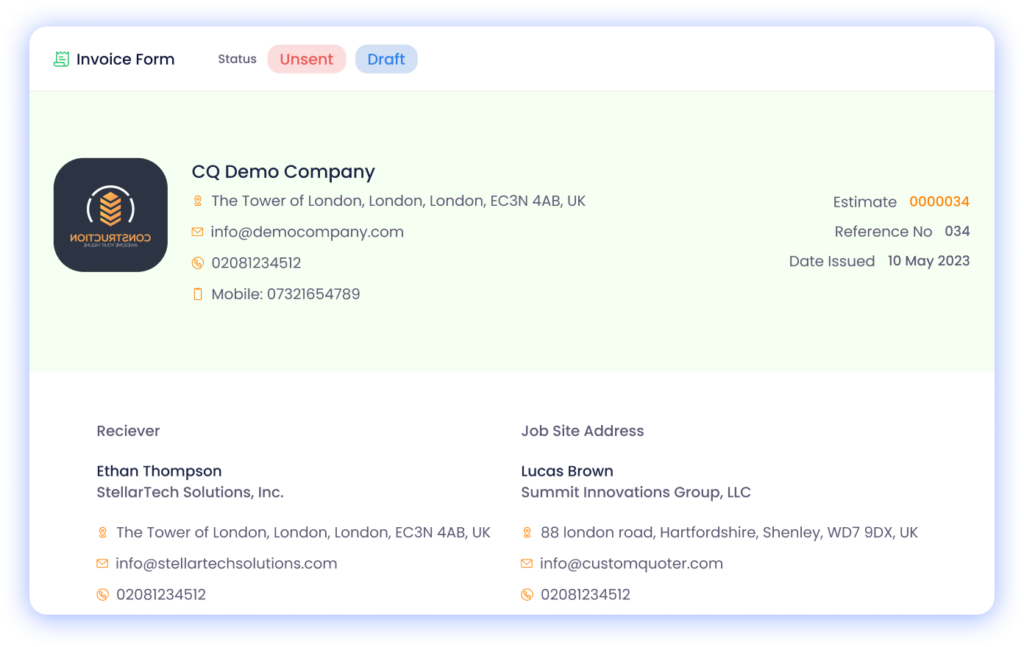
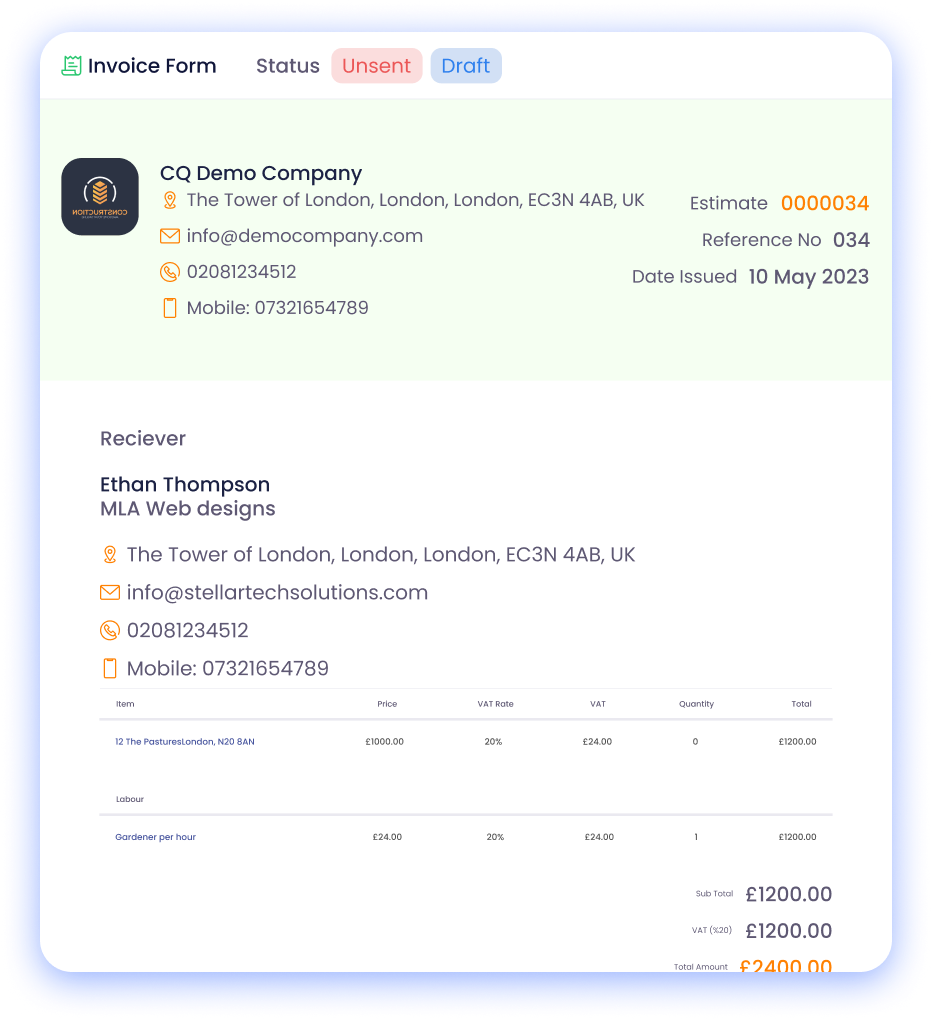
“One repeated issue we see is that teams complete valuable work but cannot invoice promptly because the evidence, approval or variation record sits somewhere outside the job workflow.” If your teams recognise this pattern, integrated invoicing is not about adding a new finance task—it is about designing a job lifecycle where operational proof, commercial agreements and billing happen in step.
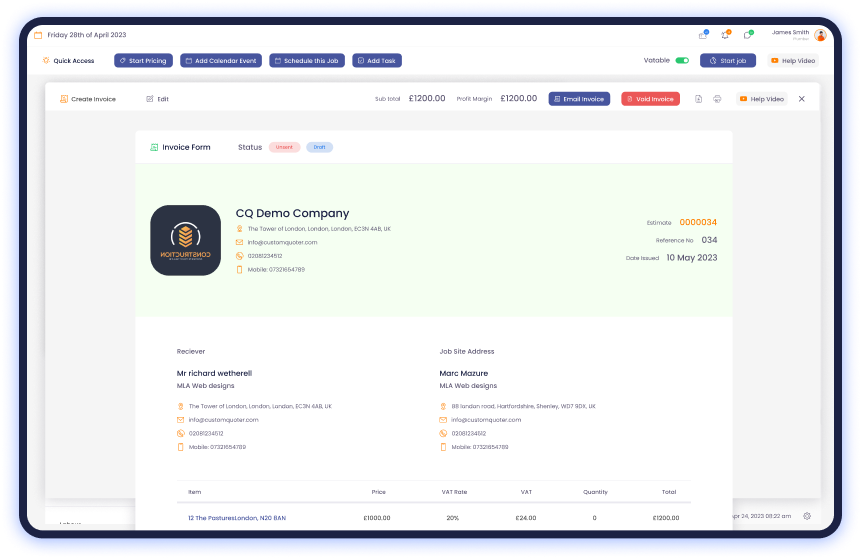
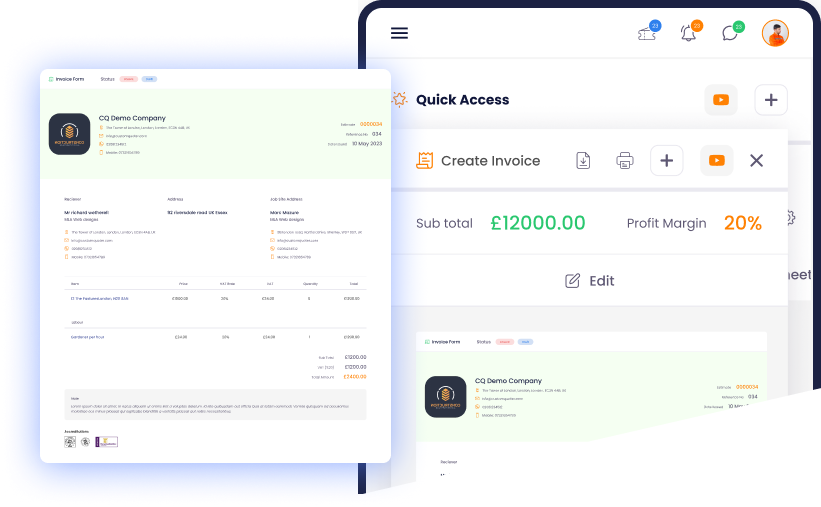
Integrated invoicing connects the job, the field record and the invoice-ready package. That means capturing the right information as the work progresses, defining who signs off what, and making sure the finance team receives a complete, unambiguous set of records. When job records, approvals and communications are linked, the operational state is visible across teams, reducing delays and missed billing. For a broader view of how invoicing sits within wider commercial control, see our [Finance & Profit Control](https://www.cq.mlademos.co.uk/financial-management-invoicing-software/) overview.
## What integrated invoicing looks like in practice
Integrated invoicing is not just “auto-creating” an invoice. It is the discipline of linking operational events to commercial actions:
- Scope and rates agreed at job setup feed billable items.
- Variations created in the field push through for approval and pricing.
- Milestones reached (or tasks completed) trigger invoice readiness checks.
- Time, materials and subcontractor costs link to the job so that billing mirrors reality.
- Client sign-offs, site photos and commissioning forms are attached to the invoice record.
This approach helps your finance team move faster without guessing, while your delivery teams work with clear expectations about the proof they need to collect. A connected system should also support controlled handovers from project or job owners to finance, reducing the back-and-forth that often causes missed billing windows.
## Build your invoicing process around the job lifecycle
An effective invoicing workflow mirrors delivery. If the job moves from quote, to mobilisation, to phases of work, to completion, then your billing should too.
### Before work starts: prepare to bill cleanly
- Define scope and exclusions in language that can map to invoice lines.
- Agree rates and charging rules (fixed price, time-and-materials, dayworks, or a hybrid) and capture them against the job.
- Set out your variation protocol: what constitutes a change, who can authorise it, and how it will be priced.
- Identify client contacts for operational approvals, variation sign-off and accounts payable.
- If using stage or milestone billing, document the schedule early (e.g., mobilisation, 25% progress, practical completion).
- Ensure any client PO numbers and required references are recorded on the job.
### During delivery: capture evidence as you go
- Collect photographs, site notes, and test/commissioning results while work is live, not days later.
- Log time, materials and plant against the correct job activities, using a clear cost code structure.
- Raise potential variations on discovery, not at the end; link them to tasks and obtain acknowledgement before proceeding when possible.
- Record client confirmations (signatures, emails, or approval notes) and store them with the job, not in personal inboxes.
### At milestones and completion: make invoicing a planned step
- Build a short milestone checklist: what proves the milestone is achieved, who signs it off, and what documents are required.
- For practical completion, confirm snag status, commissioning sheets and any warranty conditions.
- For maintenance or service calls, confirm the asset or location serviced, the tasks completed, and client acceptance.
### Invoice readiness checklist
Before raising an invoice, confirm:
- Approved scope or milestone reached, with evidence attached.
- Variations priced and approved (or at least acknowledged with a noted position if awaiting formal sign-off).
- Time and materials posted and reviewed for accuracy.
- Subcontractor claims reconciled if relevant to billing.
- Client references present (PO numbers, site codes, project identifiers).
- Retentions, deposits or stage amounts calculated to the agreed terms.
Treat this checklist as a commercial gate: if something is missing, fix it before the invoice leaves the building.
## Variation control and sign-off that stands up to scrutiny
Variations are where many margin problems and payment disputes begin. A practical approach is to make the variation pathway part of your normal job process, not an exception handled in email threads.
- Capture the trigger: what changed, when, and why. Attach photos or site notes.
- Propose the change: scope, price basis (fixed, dayworks, rates), and impact on programme if relevant.
- Route approval to the correct client contact. If the client needs internal authorisation, record that dependency and due date.
- Lock the approved variation back to the job plan and budget so that it appears on the correct invoice stage.
When the variation record, the approval note and the related costs move together, queries are easier to resolve. If a client later disputes a price, you can reference the contemporaneous record rather than reconstructing events after the fact. This is also a key building block for [financial transparency through connected records](https://www.cq.mlademos.co.uk/blog/how-integrated-software-can-improve-financial-transparency/).
## Milestone and staged billing without the surprises
Many projects rely on stage or milestone billing. The challenge is proving each stage in a way the client recognises and your finance team can defend.
- Define each milestone with objective evidence: e.g., “Foundations poured and signed off by inspector, photos attached, cube test results uploaded.”
- Align the milestone value to a schedule of values or agreed percentage of the contract sum, and ensure retentions are consistently applied.
- Keep partial progress options open where appropriate, especially for longer phases.
Illustrative example: On a £120,000 project with 3% retention, you might agree four milestones: mobilisation (£10,000), shell complete (£50,000), internal fit-out (£40,000), and practical completion (£20,000). If shell completion is achieved with minor snagging, you could invoice £50,000 less 3% retention, provided the contract permits stage retention. The key is that your evidence and approvals are ready when the milestone is claimed.
For smaller service jobs, a simple approach is to set a call-out minimum plus time-and-materials and collect a digital sign-off from the site contact. That sign-off becomes the trigger for invoice readiness.
## Clarify roles and responsibilities across delivery and finance
Ambiguity kills momentum. Agree who owns which part of the invoicing workflow and make it visible.
- Job or project owner: captures completion evidence, raises variations, closes tasks and confirms milestone criteria are met.
- Commercial or QS lead (where applicable): validates quantities and pricing, checks retentions and stage values, and confirms variation calculations.
- Finance team: issues invoices, manages credit control, posts receipts and monitors unbilled WIP items.
- Account or contract manager: communicates with the client around readiness, expected invoice dates and any queries.
A simple RACI-style matrix—kept in your job template—can prevent “I thought you had it” moments. A connected system should also make it clear where a job sits in the invoice pipeline and what is blocking release.
## Follow-up that maintains relationships and momentum
Even with clean invoices, you still need structured follow-up. Treat it as part of delivery quality, not an afterthought.
- Set expectations early. Tell the client who will send invoices, when to expect them and how to query them.
- Keep your records accessible. If a client challenges an item, respond with the exact photo, approval or variation note, not a paraphrase.
- Track statuses beyond “sent” and “paid”. Useful statuses include: sent; acknowledged; query raised; query resolved; payment scheduled.
- Escalate queries promptly. If an invoice is blocked, assign a named owner to resolve it with the client, not a generic mailbox.
Written reminders can be professional and brief: reference the job, the milestone, the approval and the due date. Focus on the facts, not pressure. Over time, you can review which clients or work types generate the most queries and adjust your process upstream.
## Connect operational records to finance, not just to a PDF
When job data flows into invoicing without rekeying, your team avoids transcription errors and end-of-month scrambles. A connected system should allow:
- Job structures, tasks and cost codes to map directly to invoice lines.
- Field approvals and attachments to travel with the invoice record.
- Clear separation between operational billing data and your accounting ledger, with controlled transfer to the accounting platform.
This reduces the temptation to “invent” an invoice from memory. It also makes it easier to analyse trends—where are invoices being held, how often are variations queried, and which milestones most commonly miss documentation.
## Practical implementation steps and common pitfalls
If you are moving from a fragmented process to a connected one, start with a targeted pilot and expand.
1. Choose one service line or project type with recurring invoicing pain and document the current state.
2. Define the minimum evidence set for that work type (e.g., three photos, a signed job sheet, and any variation acknowledgements).
3. Standardise naming conventions: job numbers, site codes, cost codes and document titles.
4. Build templates for milestone checklists, variation forms and invoice-line mapping.
5. Train field teams on when and how to capture evidence; make it as easy as possible on mobile.
6. Run a month of dual-control: delivery confirms invoice readiness; finance verifies before issuing.
7. Review metrics such as average days from completion to invoice issued, proportion of invoices raised with variations, and dispute rates. Use them to refine the process; treat any numbers as internal baselines rather than industry benchmarks.
If you are reviewing technology, our [buying guide](https://www.cq.mlademos.co.uk/how-to-choose-job-management-software/) outlines how to assess job management options against your commercial needs. Keep in mind that CQ helps to connect operational and commercial work, but it is not an accounting, payroll, HR, tax or lending product. A connected system should integrate cleanly with your accounting platform so the ledger remains the source of truth for statutory reporting.
Common pitfalls to avoid:
- Over-engineering approvals so that everyday decisions stall waiting for senior sign-off.
- Leaving evidence collection until the end of the week—details fade and documents get lost.
- Applying different rules for similar jobs, confusing clients and your own teams.
- Letting draft invoices pile up in personal folders with no visibility to finance.
## Reporting and cash flow planning from invoicing data
Invoicing is a rich source of forward-looking information. When job and billing data are connected, you can see what is invoice-ready, what is blocked and what is forecast to bill in coming weeks. That view supports operational planning as much as finance.
- Monitor unbilled completed work: which jobs have passed milestones but lack documentation?
- Track variation lifecycle: how long from raise to approval, and which clients consistently require more detail?
- Forecast stage billing: which projects are due to hit milestones next month, and what evidence is still outstanding?
While no report removes uncertainty, a clear pipeline of invoice-ready work can support more informed discussions about resourcing and purchasing. For deeper context on sector-specific cash considerations, our post on [cash flow management in construction](https://www.cq.mlademos.co.uk/blog/mastering-cash-flow-management-in-the-construction-industry/) is a useful companion.
## Boundaries and handoffs with accounting
Integrated invoicing does not replace your accounting platform. It complements it by ensuring that what reaches finance is complete and correct.
- A connected system should generate invoice data that can be posted to your accounting ledger with job references intact.
- Credit control remains a finance function, but operational teams should help resolve queries by supplying evidence quickly.
- For tax treatment, retention handling and statutory requirements, defer to your accountant; avoid ad-hoc rules baked into operational templates without review.
This separation of duties protects both operational momentum and financial accuracy.
## Frequently Asked Questions
### What counts as proof of completion for invoicing?
It depends on the contract and the client. Common proofs include a signed job sheet, dated photographs, commissioning or test results, and an email or portal approval from the client’s authorised contact. Decide the minimum acceptable set for each work type and make it standard.
### How should we handle client purchase orders in the invoicing workflow?
Record the PO number at job setup and confirm any line-level references required by the client’s system. Before issuing the invoice, check that the PO still has available value and that your invoice lines match the PO’s structure where required.
### What if a client disputes a variation after the work is done?
Return to the original variation record: the trigger, the proposed change, and the approval or acknowledgement. If approval was verbal, document who approved, when and under what circumstances. Provide the evidence calmly and offer to walk through it line by line; avoid re-quoting from memory.
### How do we invoice when there is outstanding snagging?
Check your contract definitions. Some agreements allow invoicing at practical completion with minor snagging listed, while others require full completion of specific items. If invoicing is permitted, include the snag list reference and the agreed timeframe for resolution within your supporting documents.
### What is the best way to manage retention on invoices?
Apply retention consistently according to the contract (e.g., a holdback at each stage with release at practical completion and final completion). Show retention as a separate line or deduction so the client can reconcile it easily. Keep a simple register of retention amounts, release dates and conditions.
### How can we split a single job invoice across multiple sites or departments?
Use cost codes or sub-jobs that map to the client’s required breakdown. Build invoice lines directly from those codes, and include site references on each line. Agree the structure with the client before work begins to avoid rework at billing.
### Who should be responsible for chasing overdue invoices?
Finance typically owns credit control, but operational leaders should own resolving any query that prevents payment. Make it explicit: finance escalates the query; the job or project owner supplies the evidence or clarification.
### How do we reduce the back-and-forth between delivery and finance every month-end?
Create a shared dashboard of invoice readiness, with blockers clearly listed (missing photos, no variation approval, wrong PO). Hold a short weekly “billability” review so problems are solved before month-end pressure hits.
## Conclusion
Integrated invoicing is the practical art of joining the dots—scope to delivery, delivery to proof, proof to approval, and approval to invoice. When your teams collect the right evidence as they work, control variations with clear sign-off, and use milestone rules the client recognises, invoicing becomes a regular operational step rather than a month-end scramble.
If you want to see how this could look in your environment, you can [book a free CQ demo](https://www.cq.mlademos.co.uk/landscaping-demo/). For wider context on commercial control and system design, explore our Finance & Profit Control hub, and use the buying guide to shape your next steps with confidence.
Turning operational data into business strategy means moving beyond static reports and making data a living part of daily decisions. Too many growing service businesses find themselves drowning in spreadsheets, reconciliations and delayed summaries that offer hindsight but no operational foresight. The result is routine firefighting, missed margins and decision cycles that are too slow to protect profit on projects or preserve customer experience on recurring work.
As service businesses grow, leaders often reach the point where reports alone no longer provide the clarity they need to run day-to-day operations; instead the reports become artefacts to explain the past rather than tools to direct the present. That recognition is the turning point: the problem is not data’s absence but how the organisation collects, connects and acts on it.
## Why reports stop being enough
Reports can be useful snapshots, but they rarely change behaviour by themselves. Operational decisions — who to dispatch, which teams to prioritise, which jobs to reprice, when to hire — require timely, trustworthy signals tied to the workflows that create cost and revenue. When data sits in separate systems (estimating, field timesheets, invoicing, payroll, CRM), every report needs manual reassembly. That creates three predictable problems:
- Latency: by the time a report is compiled, the window for simple corrective action has often passed.
- Trust: conflicting numbers from different systems produce arguments, not solutions.
- Actionability: a good report highlights variance but rarely prescribes the next operational step.
Those problems are operational, not technical. Fixing them means rethinking how information flows through the business so that decisions are guided by current realities, not retrospective stories.
We discuss the structural trade-offs and cost of fragmentation in more detail in [the operational cost of disconnected systems](https://www.cq.mlademos.co.uk/blog/the-fragmented-approach-vs-the-integrated-approach/).
We also outline how analytics must be designed to trigger action — not just inform it — in [business analytics that leads to action](https://www.cq.mlademos.co.uk/blog/business-analytics-turning-data-into-actionable-insights/).
## From data to an operating strategy
Turning data into strategy means two things: creating a single, trustworthy view of the operational facts; and embedding those facts in recurring decision routines. That is where connected workflows earn their value. Connected workflows create operational visibility.
The words “single view” often scare people into thinking about a monolithic ERP project. In practice the aim is pragmatic and process-driven: identify the critical decisions that determine margin and capacity, then make sure the data that influences those decisions is complete, current and trusted.
### Start with the decisions, not the dashboards
Operational strategy is built around repeatable choices, not vanity metrics. Examples of operational decisions in a service or field business include:
- Which planned jobs should be rescheduled this week to protect margin?
- Which crews are at risk of being overloaded next month?
- Which customer segments are consistently late payers and need a different invoicing cadence?
- When should we hire a supervisor based on job backlogs and travel time?
For each decision, define the minimum set of data required and the frequency at which it must be current. That scoping prevents paralysis and keeps analytics tied to action.
### Map workflows to surface the data that matters
A workflow is the sequence of actions and records that turn a quote into a job, a job into an invoice, and an invoice into cash. Mapping these end-to-end highlights where manual hand-offs create gaps — for example, when timesheets are captured on paper, or purchase orders are managed in email. The mapping should record:
- Which systems hold each data element (job estimate, labour hours, materials, invoice status).
- Who owns updates (field supervisor, scheduler, finance).
- What the acceptable latency is for each element (real-time, daily, weekly).
This mapping becomes the operational blueprint for integrating or connecting systems, and it clarifies what “good enough” looks like while migration or change happens.
### Establish data trust and governance
Trust is earned, not assumed. Practical steps to build trust:
- Reconcile the few critical fields on a frequent cadence (often daily). For example, match job hours recorded in the field to payroll and to job cost lines; surface mismatches to the supervisor for immediate resolution.
- Create a data steward role for each domain (scheduling, field records, procurement, invoicing). Stewards own rules and exceptions.
- Publish a short data dictionary that explains each operational metric — how it is calculated, when it updates and what sets it excludes.
These actions reduce argument time and ensure disagreements are resolved where the work happens, not in monthly board meetings.
## What a connected operating model looks like in practice
A connected model doesn’t mean every record sits in one database; it means the relevant records for decisions are visible and actionable where decisions are made.
### Example workflow: job profitability in near real time
1. Estimate entered and accepted by customer.
2. Job scheduled and crew assigned; scheduling system updates planned hours.
3. Field crew records actual hours and materials on mobile; the record feeds payroll and the job cost ledger.
4. Procurement receipts update material cost lines against the job.
5. Invoices post and receivables update cash position.
When these steps are reliably connected, the operations manager can see a job’s expected margin, the variance to date, and the corrective actions (redeploy crew, renegotiate materials) before the invoice is issued.
### Example workflow: capacity and scheduling optimisation
Combine schedule blocks, travel time, recurring maintenance windows and crew certifications into a single view. That lets schedulers make choices that minimise travel cost, respect legal or contractual requirements and prevent last-minute overtime. The connection between timesheets and schedules also reduces double-entry and speeds billing.
### Financial feedback loops
Operational strategy requires fast financial feedback. Linking job cost lines to invoicing and cash receipts enables revenue recognition aligned to work completion and rapid identification of late payers or underbilled jobs. That leads to clear operational actions: stop new work for a customer, apply alternative billing terms, or accelerate collections with automatic notifications.
## Practical roadmap to move from reports to strategy
The shift can be staged to deliver early wins while building long-term capability. Timelines below are illustrative and will vary based on your starting point and complexity.
### Phase 1 — Quick wins (0–3 months)
- Identify a small number of operational decisions that cause the most value leakage (e.g., late billing, reactive resourcing, untracked overtime).
- Map the minimal data needed for each decision.
- Automate frequent reconciliation (often daily) for the smallest high-value data set (for many firms, planned vs actual hours and invoiced vs estimated revenue).
- Set up a daily or weekly operational huddle that uses the reconciled data.
### Phase 2 — Consolidate and standardise (3–9 months)
- Extend workflow maps and resolve the top reconciliation exceptions.
- Decide where truth of record will live for core objects (jobs, customers, invoices) and begin reducing duplicated entry.
- Define owners and data governance rules.
- Replace manual hand-offs with simple integrations or synchronised records between tools.
### Phase 3 — Operationalise as strategy (9–18 months)
- Build dashboards that reflect the decision routines rather than generic KPIs.
- Convert dashboards into triggers: automated alerts, exception lists and task assignments.
- Train frontline managers to use the dashboards in daily stand-ups and to escalate based on agreed thresholds.
- Embed these routines into planning cycles: weekly resourcing, monthly budget review, quarterly capacity planning.
The roadmap keeps focus on actions and behaviour change rather than technology for its own sake.
## Choosing the right technology and vendors
Selecting tools is a matter of fit to your workflows and your ability to change. When assessing options, consider:
- Data model: can the system represent your jobs, schedules and cost items in the way your teams work?
- Integration practicality: does the vendor offer practical connectors or APIs that support synchronising the fields you’ve mapped?
- Governance support: does the platform let you define owners, validation rules and automated reconciliations?
- Usability in the field: can technicians and supervisors update work records with minimal friction?
- Scalability: will the tool support your growth in volume, geography and service types?
For a deeper guide on vendor selection focused on the operational needs of growing firms, see [how to choose job management software when scaling](https://www.cq.mlademos.co.uk/how-to-choose-job-management-software/).
If you want to see how a single platform can consolidate those workflows into a consistent operational view, you can [book a free CQ demo](https://www.cq.mlademos.co.uk/landscaping-demo/). Learn how the platform models jobs, schedules and financials so your team can work from the same facts.
For further detail on what an integrated approach looks like from a product and implementation perspective, visit [CQ Business Management Software](https://www.cq.mlademos.co.uk/).
## Embedding analytics into daily operations
Analytics only change outcomes when they are part of routine work. Three pragmatic techniques ensure analytics lead to action:
- Exception lists, not top-20 charts: give supervisors a short list of jobs or customers that need immediate attention, derived from defined thresholds.
- Action fields beside metrics: next to each metric include the standard next step (e.g., "flag for re-quote", "notify accounts", "add overtime authorisation").
- Short-cycle cadences: daily dashboards for field supervisors, weekly dispatch reviews, monthly profit-by-service deep dives.
Make sure every metric has an owner and an operational response. Metrics without owners become reports; metrics with owners become operating levers.
## Change management and capability building
Adopting a connected operating model is as much about people as technology.
- Start with the managers who will use the data in their daily routines. Design dashboards and exception lists with them, not for them.
- Run short, practical training focused on decisions — not on tool navigation.
- Celebrate small wins that demonstrate time saved or margin protected because of faster decisions.
- Keep governance light but enforceable: a simple rulebook, a few reconciliations and named stewards will prevent drift.
Avoid the temptation to automate everything at once. Prioritise the workflows that repeatedly erode margin or customer satisfaction.
## Metrics that matter (and how to use them)
Operational metrics should be grouped by decision type:
- Resource utilisation and capacity: crew utilisation rate, average travel time, booked vs available hours. Use these for weekly scheduling and hiring decisions.
- Job health: committed margin vs current margin, per cent of billed materials, days-in-progress. Use these to trigger re-quoting or scope reviews.
- Cash and billing: days sales outstanding (DSO) by customer cohort, invoiced vs recognised revenue, unapplied receipts. Use these to adjust billing terms and collection activities.
- Quality and retention: repeat visits, warranty claims per 100 jobs, churn by service type. Use these to guide training and process improvements.
For each metric define the action threshold (what number triggers action), the owner, and the next-step checklist.
## Implementation pitfalls to avoid
- Chasing perfect data: perfection stalls progress. Aim for “trusted enough” data for the critical decisions first.
- Dashboard-for-dashboard’s-sake: flashy visuals are worthless without a tied decision routine.
- Centralising ownership without local accountability: central teams can provide reconciliation, but frontline owners must be empowered to fix the root cause.
- Neglecting the human workflow: if capturing a field record adds time to a technician’s day without clear benefit, adoption will fail.
Focus on the smallest change that will alter behaviour and demonstrate value.
## Frequently Asked Questions
### What is the difference between a report and an operational metric?
Reports are typically retrospective summaries produced periodically; operational metrics are current signals designed to drive a specific decision. Operational metrics are tied to ownership, thresholds and prescribed actions.
### How long does it take to shift from reports to a connected operating model?
Many teams see tangible quick wins within weeks for a high-priority decision (e.g., reconciling planned vs actual hours) and meaningful operational change over a period of a few to several months as workflows and ownership settle. Large-scale consolidation of systems can take longer, but you should not wait for system rationalisation to begin changing routines.
### Which decisions should we prioritise when starting?
Prioritise decisions that repeatedly cost money or customer goodwill: late billing, high rework rates, chronic understaffing, and frequent overtime. These are high-leverage because they impact margin and morale.
### How do we measure whether analytics are improving operations?
Measure the time between signal and corrective action, the frequency of exceptions, trend improvement in the underlying metric (e.g., reduced variance between estimated and actual hours), and the business outcome (reduced cost, improved on-time completion, faster cash collection). Combine behavioural indicators (dashboard usage, number of reconciliations closed) with outcome indicators.
### How do we maintain data trust as the business scales?
Keep reconciliations short, name stewards, publish a concise data dictionary and enforce a small set of validation rules near the point of capture. Automate reconciliation where possible and resolve exceptions at the lowest organisational level.
### Can we implement operational workflows without replacing our core systems?
Yes. Start by mapping critical workflows and then use integration or synchronisation to ensure the required fields are current where decisions are made. Full replacement is not a prerequisite; pragmatic connections that automate the pain points can unlock most value quickly.
## Conclusion
Operational strategy comes from disciplined, connected workflows that surface the right facts at the right time and assign clear ownership for corrective action. Begin by mapping the decisions that matter, align the minimum data needed, and embed those facts into short-cycle routines that frontline managers use daily.
The operational takeaway: focus on turning a handful of high-value reports into persistent, trusted signals with owners and action steps — those signals will change behaviour and protect margin long before any major system overhaul is complete.
In the fast-paced world of business, efficiency is key. Every organization, regardless of its size or industry, strives to streamline its operations and cut unnecessary costs. One area where efficiency can make a significant impact is in financial processes. Enter integrated invoicing systems – the unsung heroes that can simplify financial tasks, enhance accuracy, and transform the way businesses manage their finances.
The Role of Invoicing Systems in Business
Before we delve into the benefits of integrated invoicing systems, let's first understand their fundamental role in business. Invoicing is the backbone of financial transactions. It's the process of creating and sending bills for products or services provided to clients or customers. In the past, invoicing was a manual and time-consuming task. However, with the advent of technology, invoicing systems have evolved to become an integral part of modern business operations.
Challenges Without Integrated Invoicing Systems
Without integrated invoicing systems, businesses often face a multitude of challenges. Manual invoicing processes are prone to errors, leading to discrepancies in financial records. The lack of transparency in these processes can cause misunderstandings with clients or vendors, resulting in disputes that consume valuable time and resources. Inefficient invoicing systems can also slow down cash flow, affecting a company's ability to meet its financial obligations promptly.
Benefits of Integrated Invoicing Systems
Improved Accuracy and Transparency: Integrated invoicing systems significantly reduce the margin for error. These systems automatically generate invoices, ensuring that details are accurate and consistent. This accuracy fosters transparency, as clients and vendors can easily access and verify invoices.
Enhanced Client and Vendor Relationships: Timely and accurate invoices contribute to positive relationships with clients and vendors. When clients receive well-documented, error-free invoices, it enhances their trust in your business, potentially leading to repeat business and referrals.
Automation and Efficiency: Perhaps one of the most significant advantages of integrated invoicing systems is automation. These systems handle tasks like invoice creation, distribution, and even payment processing. Automation reduces the need for manual data entry and other repetitive tasks, allowing employees to focus on more strategic and value-added activities.
Security and Compliance: In an era of data breaches and increasing regulations, security and compliance are paramount. Integrated invoicing systems offer robust security measures to protect sensitive financial information. They also help ensure that businesses comply with industry-specific and regional regulations.
Conclusion
In conclusion, integrated invoicing systems are more than just tools for generating bills. They are essential components of efficient financial processes. These systems enhance accuracy, transparency, and automation, leading to improved client relationships and financial insights. By embracing integrated invoicing solutions, businesses can simplify their financial operations and focus on what they do best – growing and thriving in the competitive marketplace.
In the ever-changing landscape of business, financial health is the lifeblood that keeps organizations thriving. A key component of maintaining this health is diligent profit and loss (P&L) tracking. This financial practice is akin to monitoring a business's vital signs, providing critical insights into its financial well-being. In this article, we will explore why P&L tracking is essential for businesses and how it plays a pivotal role in shaping their financial destinies.
Understanding Profit and Loss Statements
Before we delve into the significance of profit and loss tracking, it's essential to understand what a P&L statement is. Often referred to as an income statement, it is a financial report that summarizes a company's revenues, costs, and expenses during a specific period. The P&L statement reveals the net profit or loss resulting from the company's operations during that time frame.
The key components of a P&L statement include:
Revenue: This section represents the total income generated from sales or services.
Expenses: It includes the various costs associated with running the business, such as operating expenses, salaries, and interest payments.
Gross Profit: Gross profit is the revenue minus the cost of goods sold (COGS). It shows how much money a company makes after accounting for the direct costs of production.
Net Profit: Also known as the bottom line, net profit is the remaining profit after deducting all expenses, including taxes.
Performance Assessment: P&L tracking helps evaluate the performance of a business over time. It provides insights into whether the company is operating efficiently, generating profits, or incurring losses.
Decision-Making: Business leaders rely on P&L statements to make informed decisions. Whether it's expanding operations, investing in new projects, or cutting costs, the P&L statement is a crucial reference point.
Financial Stability: Tracking profits and losses ensures financial stability. By identifying potential financial issues early on, a business can take corrective actions and prevent financial crises.
Benefits of Effective P&L Tracking
Effective P&L tracking offers a multitude of benefits, including:
Strategic Decision-Making: It provides valuable data for strategic planning and helps in setting realistic financial goals.
Expense Management: By monitoring expenses closely, businesses can identify areas where cost reductions or optimizations are possible.
Investor Confidence: Transparent P&L reporting instills confidence in investors and stakeholders, fostering trust in the organization.
Common Challenges and Pitfalls
While profit and loss tracking is undeniably crucial, it's not without its challenges. Some common issues include:
Data Accuracy: Inaccurate or incomplete data can lead to incorrect financial assessments. Timeliness and precision in data entry are paramount.
Overlooking Non-Financial Factors: Relying solely on financial metrics might cause businesses to overlook critical non-financial factors like customer satisfaction or employee morale.
Best Practices for Profit and Loss Tracking
To make the most of P&L tracking, businesses should consider these best practices:
Use Accounting Software: Investing in robust accounting software streamlines the tracking process and reduces human error.
Regular Reconciliation: Reconcile financial data regularly to ensure it aligns with bank statements and other financial records.
Seek Professional Guidance: Consider consulting with financial experts or accountants for a more comprehensive understanding of your P&L statements.
Conclusion
Profit and loss tracking is undeniably the heartbeat of a business's financial health. It empowers organizations to make informed decisions, maintain financial stability, and steer towards profitability. By embracing this practice and adhering to best practices, businesses can ensure they are always on the path to success, no matter the economic landscape.
In the fast-paced world of modern business, efficiency is key. One area where efficiency can make a significant impact is document creation and management. Gone are the days of traditional paper-based documents and time-consuming manual processes. Today, businesses are increasingly turning to integrated document creation tools to streamline their workflows and boost productivity. In this article, we'll explore the role of these tools and how they are revolutionizing the way businesses operate.
The Role of Document Creation Tools
Document creation tools have always played a crucial role in businesses of all sizes and industries. Whether it's drafting contracts, creating reports, or designing marketing materials, documents are the lifeblood of organizations. However, the traditional methods of document creation often involved time-consuming processes, multiple drafts, and significant room for errors.
With the advent of digital technology, document creation tools have evolved to address these challenges. They have become indispensable tools that not only create documents but also facilitate collaboration, version control, and accessibility.
The Evolution of Document Creation
The evolution of document creation tools can be traced from the era of typewriters to the digital age. Gone are the days when typists would painstakingly type each page of a document. Today, digital document creation has become the norm, enabling businesses to save time and resources.
According to statistics, the use of digital document management systems has grown significantly over the years, with a clear trend toward a paperless office environment. This shift has been accelerated by the need for remote work solutions and the desire to reduce the environmental footprint.
Benefits of Integrated Document Creation Tools
Integrated document creation tools offer a wide range of benefits. First and foremost, they streamline the document creation process, reducing the time and effort required to produce high-quality documents. Here are some key advantages:
Real-time Collaboration
Teams can collaborate on documents in real-time, making it easy to work on projects together, no matter where team members are located. This eliminates the need for back-and-forth emails and ensures everyone is on the same page.
Version Control
Integrated tools provide version control features, allowing users to track changes, revert to previous versions, and ensure document accuracy. This is particularly valuable for compliance and quality control.
Accessibility
Documents can be accessed from anywhere with an internet connection, making it easier for remote workers to contribute and access necessary materials. This accessibility boosts productivity and flexibility.
Reduced Errors
Integrated tools often include templates, automated formatting, and spell-check features, reducing the chances of errors in documents. This leads to higher-quality outputs.
Features and Functionality
Integrated document creation tools come with a wide range of features and functionalities designed to enhance workflow efficiency. These tools often offer:
Templates: Ready-made templates for various types of documents, saving time and ensuring a consistent format.
Automation: Automation of repetitive tasks like data entry, calculations, and document assembly.
Formatting: Easy formatting options for text, tables, images, and charts to create polished documents.
Search Functionality: Quick and easy search capabilities to find specific content within documents.
Integration with Other Business Systems
To maximize efficiency, integrated document creation tools can be seamlessly integrated with other business software systems. For example:
Project Management: Documents related to specific projects can be linked directly to project management software for easy tracking and collaboration.
Customer Relationship Management (CRM): CRM integration allows for the creation of customized proposals and contracts directly from customer data.
Communication Tools: Integration with communication tools ensures that the latest documents are readily available for team discussions and meetings.
Challenges and Considerations
While integrated document creation tools offer numerous benefits, it's essential to consider potential challenges and limitations. These may include:
Learning Curve: Some team members may need training to fully utilize the features of these tools.
Data Security: Storing documents in the cloud raises concerns about data security and compliance, which must be addressed.
Compatibility: Ensuring that integrated tools are compatible with existing software systems can be a complex task.
Real-Life Success Stories
To illustrate the impact of integrated document creation tools, let's take a look at some real-life success stories:
Future Trends and Predictions
The future of integrated document creation tools is promising. We can expect to see:
Enhanced AI Integration: Artificial intelligence will play a more prominent role in automating document creation and improving content quality.
Increased Mobile Access: Tools will be optimized for mobile devices to cater to the needs of remote and on-the-go professionals.
Advanced Collaboration Features: Enhanced collaboration features will continue to facilitate seamless teamwork.
Conclusion
Integrated document creation tools have become indispensable for businesses aiming to streamline their workflows and enhance productivity. By automating processes, facilitating collaboration, and improving document accessibility, these tools are changing the way organizations operate. As technology continues to evolve, we can expect even more innovations in document creation, further transforming the business landscape.
## The multi-site route problem
Managing routes across multiple depots or sites turns straightforward schedules into a logistical burden. Fuel bills climb, crews spend hours driving between jobs, and the capacity to complete additional work disappears under the weight of avoidable travel. These are not minor irritations — they directly erode margins and customer responsiveness.
Working with growing service businesses, we often see route planning revert to spreadsheets, whiteboards and ad-hoc phone calls between sites. The result is inconsistent routing logic, duplicated journeys and teams that operate well below their productive potential.
## What unified route mapping means for multi-site operations
Unified route mapping brings all site schedules, vehicle locations and job details into a single visual plan. Instead of each site organising its own patch, the whole operation is planned with awareness of:
- depot locations and nearest crews
- job time windows and skill requirements
- real-time travel times and traffic
- vehicle capacity and return-to-depot constraints
This central view lets dispatchers and managers make decisions that are optimal for the company, not just for an individual site.
In practice, many service businesses tell us their first visible benefit is a reduction in duplicate travel — the same crew no longer drives past a job that a nearby depot has scheduled.
## How unified mapping cuts fuel costs
Fuel waste in multi-site operations happens in predictable ways:
- crews travel longer distances to jobs that could have been handled by a nearer depot
- routes are planned without realistic drive-time estimates, causing excessive backtracking
- vehicles return to different depots unnecessarily, increasing empty running
Unified route mapping reduces these wastes by:
- assigning jobs to the nearest appropriate crew or depot
- consolidating geographically clustered jobs into single loops
- planning return legs to minimise empty mileage
The financial impact is straightforward: fewer miles driven equals lower fuel spend and reduced maintenance pressure on vehicles. Over time, these savings compound because optimised routing prevents the overtime and reactive scheduling that otherwise inflate fuel and labour costs.
## Reducing non-billable travel time
Non-billable travel is work time the business cannot invoice: travelling between jobs, returning to depot for parts, or waiting because the day was poorly sequenced. For multi-site operations, this commonly scales with complexity.
Unified route mapping cuts non-billable time through several mechanisms:
- sequence optimisation: jobs are ordered to minimise travel between appointments
- time-window alignment: schedules respect customer availability so crews spend less waiting or rebooking
- dynamic rerouting: jobs are reallocated in real time when delays or cancellations occur, preventing long transits to distant worksites
These mechanisms mean crews spend more of their paid hours doing billable work and less on the road. The net effect is increased productivity per shift and a more predictable labour cost per completed job.
## Increasing the number of jobs completed per day
Shorter trips and less idle time do more than cut cost — they raise throughput. When your team spends less time travelling and waiting, they can complete more jobs without extending hours or adding crews.
Key factors that increase daily job counts:
- geographic clustering: the mapping engine groups nearby jobs so crews complete several in one trip
- smart buffering: realistic drive-time buffers reduce late arrivals, so jobs stay on schedule
- skills-based routing: the right technician goes to the right job the first time, preventing repeat visits
For multi-site businesses, the cumulative effect is significant. Instead of each site hitting its own operational ceiling, the whole network increases capacity because resources are used across the operation rather than siloed.
## Operational features that drive these results
To achieve the benefits above, unified route mapping must be supported by specific features. Typical, high-impact items include:
- a central scheduling console that displays all sites and assets
- drive-time calculations using live traffic data
- automatic job-clustering and route optimisation algorithms
- real-time vehicle tracking and ETA updates
- skill and equipment matching when assigning jobs
- automated reallocation if a crew is delayed or a job overruns
These features work together to reduce wasted miles and unnecessary travel. Importantly, they also simplify the decisions managers have to make — the system recommends efficient assignments so your team can execute rather than guess.
## Evidence from the field
Working with multi-site operators, we have repeatedly seen unified routing reduce drive time by substantial margins within a matter of weeks. Teams report fewer double-backs, fewer late arrivals and more predictable finish times. One regional operator moved from site-by-site scheduling to a central model and immediately reduced inter-site deadheading, allowing two crews to absorb the work of a third.
Connected workflows create operational visibility — when schedules, jobs and vehicles are linked, managers can see the true cost of travel and take corrective action.
## Implementation considerations for multi-site rollouts
Rolling out unified route mapping across multiple sites requires deliberate choices. Key considerations:
- data quality: job addresses, depot locations and technician skills must be accurate for optimisation to work
- change management: local managers may resist a centralised approach; start with pilot sites and demonstrate measurable gains
- integration: the mapping solution should tie into your job management, customer records and payroll systems
- constraints modelling: include operating constraints such as vehicle types, lunch breaks and legal driving limits
If you are evaluating software, make sure the vendor supports multi-depot logic and can visualise routes across all sites simultaneously. Guidance on choosing the right platform can be found in our article that explains what to prioritise when assessing job management tools: https://www.cq.mlademos.co.uk/how-to-choose-job-management-software/
## When centralisation isn’t centralised control
Centralised mapping does not mean every decision is removed from site teams. The objective is to create a shared picture so local teams can execute with context. Common and effective governance models include:
- central optimisation with local override rights for urgent customer needs
- zone-based autonomy where nearby depots manage routine work and the system coordinates cross-zone jobs
- exception handling workflows that escalate only when the optimisation engine cannot honour constraints
These approaches preserve local accountability while eliminating the inefficiencies that stem from isolated planning.
## Measuring ROI: what to track
To evaluate whether unified route mapping is paying off across sites, track these metrics:
- total vehicle miles travelled (VMT) across the operation
- non-billable travel hours per technician
- average jobs completed per crew per day
- fuel cost per job
- on-time arrival percentage
- reattendance rate for missed first-time fixes
Set baselines before launch and measure weekly for the first quarter. Multi-site rollouts will typically show the fastest gains in miles and non-billable travel reduction, with throughput improvements following as crews settle into new rhythms.
## How to trial unified route mapping
A practical trial approach for multi-site operators:
- pick two or three representative sites (different sizes, service mixes)
- run a side-by-side comparison for four weeks: current process vs centralised mapping
- monitor the metrics listed above and solicit technician feedback
- iterate routing rules and constraints, then scale across other sites once results are repeatable
If you want to see how centralised scheduling and mapping look in a platform tailored for multi-site service operations, you can request a demonstration that walks through route visualisation and optimisation features: https://www.cq.mlademos.co.uk/landscaping-demo/
For a concise overview of the platform capabilities and integrations that support multi-site teams, visit our main product page at https://www.cq.mlademos.co.uk/
## Final practical advice
Start with data hygiene. Accurate addresses, defined depots and updated technician skills are low-effort inputs that unlock large gains when fed into a routing engine.
Keep the rollout staged. A pilot proves value and builds internal buy-in. Use early wins to create momentum for the more complex sites.
Report results transparently. When dispatchers and managers see improvements in travel time and job counts, resistance to centralised workflows dries up quickly.
By treating route mapping as a multi-site optimisation problem rather than a series of local puzzles, your business will reduce fuel spend, shrink non-billable travel and increase the number of jobs your teams complete each day.