## Why project milestones fail without operational visibility
Milestones are not a project management nicety — they are the points where plans meet reality. They fail when your team cannot see what is actually happening across tasks, teams and subcontractors. That lack of visibility turns milestones into reactive targets instead of reliable checkpoints.
Across hundreds of demonstrations with growing service businesses, we consistently see the same pattern: projects slip because information is fragmented, updates are late and nobody owns the single source of truth.
### The common failure modes
- Siloed information. Progress lives in spreadsheets, emails and crew WhatsApp threads. No one sees the complete picture.
- Manual handovers. Tasks are transferred by phone or paper rather than through a controlled workflow. Details are lost and assumptions multiply.
- No real-time status. By the time someone reports an issue it has already delayed dependent work.
- Weak accountability. When visibility is poor, so is ownership — people assume others will catch problems.
- Poor forecasting. Without timely data, milestone dates are guesses, not projections.
These problems are operational, not strategic. They require visible, repeatable processes rather than motivational speeches or more meetings.
### What operational visibility looks like
Connected workflows create operational visibility. In practice that means:
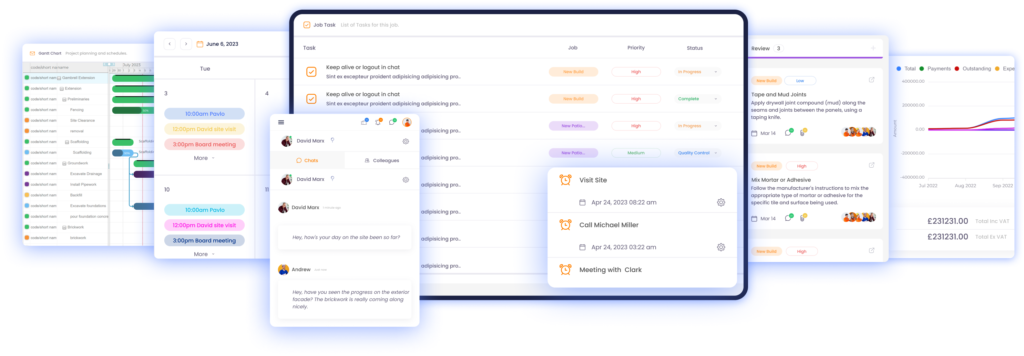
- A single source of truth where every job, task and milestone is recorded.
- Real-time status updates that feed dashboards and alerts.
- Role-based views so field teams, office staff and managers each see the relevant information.
- Automated triggers for approvals, materials orders and notifications.
- An audit trail that shows who changed what and why.
When you can see delays before they cascade, you can act. Visibility converts firefighting into planned mitigation.
### How to remove visibility gaps
Start with the workflow, not the software. Map how work moves through your organisation, identify the handoffs that cause delay, then automate those handoffs.
A centralised platform reduces fragmentation; for an example of what that looks like in practice see https://www.cq.mlademos.co.uk/. Use real workflows in trial runs, not hypothetical scenarios — request a demonstration that uses your typical jobs to expose the weak points: https://www.cq.mlademos.co.uk/landscaping-demo/. If you are still at the selection stage, follow a structured approach to choosing the right tool by reading this guide: https://www.cq.mlademos.co.uk/how-to-choose-job-management-software/.
Practical steps to implement:
- Map the end-to-end workflow and highlight every conditional dependency.
- Replace manual handovers with automated tasks and notifications.
- Standardise milestone definitions so everyone measures the same criteria.
- Implement role-based dashboards and daily exception reports.
- Integrate scheduling with materials and resource availability to reduce downstream delays.
### KPIs that matter
Stop tracking vanity metrics and measure what predicts milestone success:
- Milestone completion rate on first pass.
- Cycle time between dependent tasks.
- Percentage of milestones delayed due to material or resource shortages.
- Forecast variance (planned vs actual completion dates).
- Number of manual handovers per job.
These metrics expose weak processes. Use them to prioritise where to automate or reorganise work.
### The behavioural change
Technology alone does not solve the problem. You need disciplined processes and the mandate to enforce them. Operational visibility forces clearer ownership: when a dashboard highlights a stuck milestone, someone must act. That accountability is as important as the tool.
Without operational visibility, milestones remain wishful thinking. Equip your team with connected workflows, define ownership for each handoff and measure what actually influences delivery. The result is fewer surprises and milestones that reliably indicate progress rather than mask delay.
## Financial risks that make projects unviable
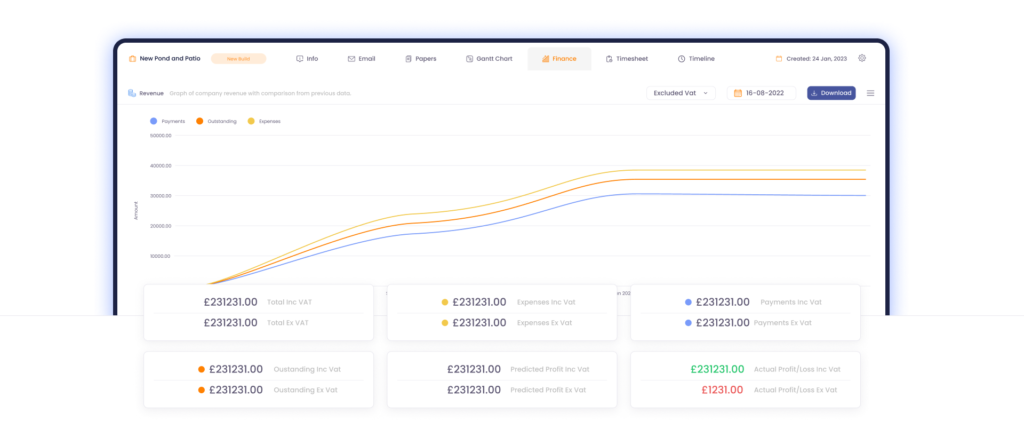
Projects fail for one plain reason: the money doesn’t add up. Quoting errors, uncontrolled scope changes, late invoices and poor forecasting all erode margins until a project that looked profitable on paper is actually loss-making on the ground.
These are not abstract issues. They are operational failures that show up as:
- wrong assumptions in estimates;
- misallocated labour and materials;
- subcontractor cost variance; and
- delays between work completed and cash received.
When these combine, project viability collapses fast. The remedy is disciplined risk control, not hope.
### The typical financial failure points
Identify these failure points early and you reduce exposure:
- Inaccurate estimating — missing costs or optimistic labour assumptions produce a blind mismatch between expected and actual margins.
- Scope creep without re-pricing — incremental changes that are absorbed by the team destroy profitability.
- Poor purchase order and cost tracking — late or missing cost postings make job-level results unreliable.
- Slow invoicing and weak credit control — cash flow pressure forces compromises on profitable work.
- Fragmented data — spreadsheets, back-and-forth emails and disconnected systems hide the true position.
These problems compound: a small estimating error becomes a cash shortfall which forces corners to be cut, which increases rework and loss. That’s how projects stop being viable.
### What to measure and control
You cannot manage what you cannot see. The key metrics to monitor at job level are:
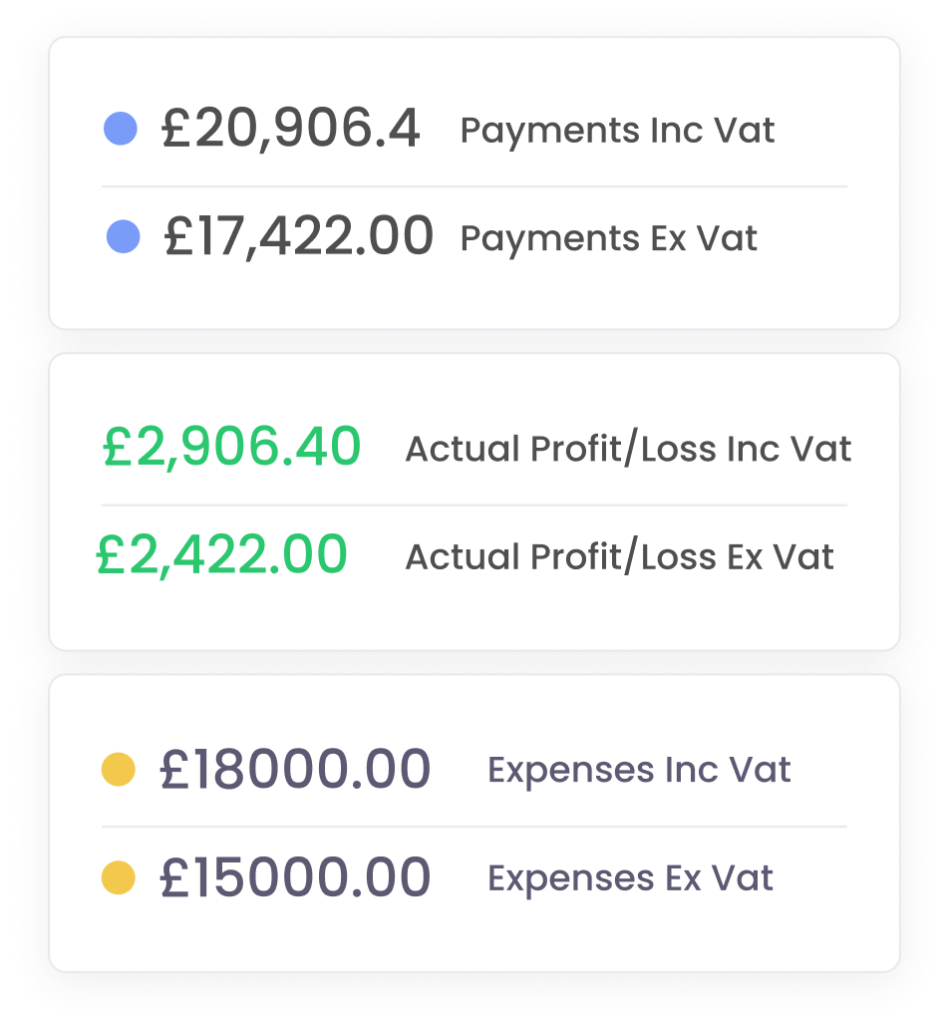
- committed cost vs. budget (materials, labour, subcontractors);
- current margin to date vs. forecasted margin;
- cash conversion time (work completed to invoice to payment);
- variations logged and re-priced within defined timelines.
Process controls that enforce purchase orders, variation approvals and immediate cost capture prevent measurement lag. Connected tools that remove manual reconciliation reduce error and speed decisions.
Technology only helps if it removes friction where mistakes happen: estimating, approvals, time capture, purchasing and invoicing. A single system that connects those workflows reduces the risk of overlooked costs and keeps the forecast accurate.
Across hundreds of demonstrations with growing service businesses, we consistently see the same financial blind spots exposed once data is centralised. Teams that adopt consistent data flows make faster, better decisions about project viability.
Key capabilities to look for in systems:
- job-level budgeting and live cost-to-complete;
- mobile labour capture linked to timesheets and costs;
- purchase order control and supplier invoice matching;
- variation management with price and approval trails;
- consolidated reporting for cashflow and profitability.
### Practical steps you can take this month
Start by stopping the quick fixes that mask the problem. Implement these steps in sequence:
1. enforce a standard estimate template so all costs are captured;
2. require variation forms to be approved before work starts;
3. introduce purchase orders for all supplier spend;
4. move invoicing closer to completion with mobile job sign-off;
5. consolidate data into a single source for accurate job reporting.
Each step reduces the uncertainty that turns a manageable project risk into a company-level loss.
### Where to see this in practice
If you want to see how a joined-up system works across quoting, field capture and invoicing, see the main product overview at https://www.cq.mlademos.co.uk/.
If you prefer a role-based demonstration to evaluate fit for field service teams, book or view a tailored walk-through at https://www.cq.mlademos.co.uk/landscaping-demo/.
If you are still deciding how to choose a job management system, read our practical guide on selection criteria and common procurement mistakes at https://www.cq.mlademos.co.uk/how-to-choose-job-management-software/.
### Final point — treat project finance as operations
Financial risk is not an accounting problem to be fixed at month end. It is an operational problem that needs real-time controls. Make project finance an operational discipline with clear ownership, enforced process and a single source of truth, and you stop losing viable work to preventable failures.
In today's fast-paced and digital-driven business landscape, service-based companies face numerous challenges and opportunities. Operational efficiency, customer satisfaction, and staying competitive are top priorities. To address these, many service businesses are turning to integrated software solutions. In this article, we explore how integrated software can transform service-based businesses, driving enhanced efficiency, improved customer experiences, and overall growth.
Understanding the Need for Transformation
Service-based businesses, which deliver intangible products or expertise, play a crucial role in the economy. They encompass industries such as consulting, healthcare, finance, and hospitality. While their services may be intangible, the challenges they face are very real. These challenges include increased competition, changing customer expectations, and the need for seamless operations.
What is Integrated Software?
Integrated software refers to a suite of applications and tools that work together seamlessly to streamline various business processes. These solutions often include components like customer relationship management (CRM), enterprise resource planning (ERP), project management, and more. The key benefit of integrated software for project management is its ability to centralize data and automate workflows across different departments.
Benefits of Integrated Software for Service Businesses
Streamlined Operations: Integrated software eliminates data silos and reduces manual data entry, enabling teams to work more efficiently. This leads to faster service delivery and reduced administrative overhead.
Enhanced Customer Experiences: With a 360-degree view of customer interactions, service businesses can personalize their services, address customer needs proactively, and build lasting relationships.
While integrated software offers significant advantages, its implementation can be challenging. Businesses must carefully plan their software selection and integration strategies. Common challenges include data migration, employee training, and ensuring software aligns with specific business needs.
Healthcare Clinic: A multi-location healthcare clinic adopted integrated software to centralize patient records, appointments, and billing. The result was reduced administrative workload, faster patient service, and improved patient satisfaction.
Consulting Firm: A consulting firm integrated project management and CRM software. This allowed them to efficiently manage client projects, monitor progress, and maintain strong client relationships. The firm experienced a 20% increase in project completion rates.
Implementing Integrated Software: A Step-by-Step Guide
Assessment: Begin by assessing your current processes and identifying areas where integration can yield the most significant benefits.
Selection: Carefully choose integrated software that aligns with your business goals and integrates with your existing tools.
Migration and Integration: Plan and execute data migration and software integration carefully, ensuring minimal disruption to daily operations.
Training: Train your employees on using the new software effectively and provide ongoing support.
Monitoring and Improvement: Continuously monitor key performance indicators (KPIs) and seek opportunities for improvement.
Future Trends and Outlook
The future of integrated software for service businesses looks promising. Emerging technologies like artificial intelligence (AI) and machine learning are poised to further enhance automation and data analysis capabilities. Additionally, cloud-based solutions offer scalability and accessibility from anywhere.
Conclusion
Integrated software has become an indispensable tool for service-based businesses looking to thrive in the digital age. By streamlining operations, improving customer experiences, and enabling data-driven decision-making, integrated software solutions empower service businesses to transform and stay competitive. See how CQ is leading the way in creating a fully integrated business management software that allows all departments to communicate and the ability to manage every area of business whilst providing unmatched levels of business data to make informed decisions holistically and project wise.
As a service business grows, the volume of incoming enquiries naturally increases. To handle this influx, many businesses invest in a standalone Customer Relationship Management (CRM) tool.
Initially, this feels like progress. The sales team is organised, follow-ups are tracked, and the pipeline is visible. But as the business continues to scale, a new problem emerges: the CRM becomes an isolated silo. The sales team knows exactly what is happening, but the operations and finance teams are left entirely in the dark.
Managing leads effectively is not just about tracking conversations; it is about creating a seamless flow of information from the first enquiry to the final invoice.
The Problem with Disconnected Systems
When a business relies on a standalone CRM, it creates a hard boundary between sales and delivery.
When a lead is marked as 'won', the sales process ends, but the operational process is just beginning. Because the systems are disconnected, the operations team must manually extract the necessary information from the CRM and re-enter it into their project management and scheduling tools.
This manual handover is slow, inefficient, and highly prone to error. Critical details discussed during the sales process—such as specific site access requirements or client preferences—are often lost in translation. The delivery team is forced to start the project on the back foot, chasing the sales team for clarification or, worse, asking the client to repeat information they have already provided.
The CQ Connected Workflow
The solution is to dismantle the silo. Connected workflows create operational visibility, which is the foundation of a modern lead management framework., ensuring that lead management is fully integrated into the broader business process.
In a truly integrated system, the CRM is just the starting point of a single connected record. Inside the same system where the lead is managed, the estimator builds the quote. This includes live supplier pricing pulled in real time, complex calculators for area and volume, and separate markup rates for labour, materials, and plant. When the quote is sent, the business already knows the exact intended profit on that job.
When the client approves, the lead turns into a live job with one action. The client is automatically created in the accounting system. All lead communications and client details carry through to the job record. Crucially, the intended profit from the quote is now locked in as the financial target the project must track against.
Because the financial structure is already defined, invoicing is connected directly to the job. Split payments can be structured as milestones or monthly, and this is set up as part of the job, not as a separate exercise in a standalone accounting tool.
The Impact on the Business
Creating a connected lead management workflow fundamentally changes how a business operates. It eliminates the administrative friction that typically slows down growing companies.
By removing manual data entry, the business reclaims hours of wasted time every week. The delivery team can execute work more efficiently because they have complete, accurate information from day one. The client experiences a seamless, professional service from their first enquiry through to project completion, significantly improving retention and referral rates.
This level of operational maturity is what allows a service business to scale sustainably, handling a higher volume of work without a proportional increase in administrative overhead.
Conclusion
A standalone CRM might organise your sales team, but it will inevitably create bottlenecks for your operations team. True efficiency requires a holistic approach. By integrating lead management into a connected operational workflow, service businesses can eliminate data silos, streamline handovers, and build a foundation for scalable, profitable growth.
If you're evaluating ways to improve lead management and customer workflows, explore our CRM & Sales Operations resources or book a personalised demo to see how CQ connects sales, delivery and finance in a single workflow.
In today's fast-paced business landscape, effective collaboration between different departments within an organization is paramount. Gone are the days of isolated teams working in silos, where critical information and insights often got lost in the shuffle. Instead, modern businesses are increasingly turning to integrated systems to break down barriers and facilitate inter-departmental collaboration.
The Challenge of Traditional Departmental Silos
Before delving into the role of integrated systems, let's first address the challenges posed by traditional departmental silos. In many organizations, departments often operate as independent entities, with limited interaction between them. While this structure might provide a sense of autonomy, it can lead to a range of problems, including:
Communication Barriers: Silos make it difficult for teams to communicate effectively. When information doesn't flow freely, tasks get duplicated, and opportunities for synergy are missed.
Inefficiency: Departments working in isolation can result in redundant processes and inefficiencies. What could be streamlined across teams becomes a series of disconnected tasks.
Lack of Transparency: Transparency is often compromised in a siloed environment. Departments may not have visibility into each other's activities, making it challenging to align goals and objectives.
The Role of Integrated Systems
Integrated systems, in this context, refer to a suite of software and tools that allow different departments to share data, collaborate on projects, and streamline processes seamlessly. These systems can include project management software, communication platforms, cloud-based solutions, and more.
So, how do integrated systems foster inter-departmental collaboration? Here are the key ways:
Real-time Data Sharing: Integrated systems enable real-time data sharing across departments. Whether it's project updates, sales figures, or customer information, everyone has access to the latest data, eliminating data lags and discrepancies.
Streamlined Workflows: Instead of disparate tools and processes, integrated systems bring everything under one roof. This streamlines workflows and ensures that tasks can move seamlessly from one department to another.
Improved Communication: Communication tools integrated into these systems, such as messaging apps and video conferencing, facilitate quick and efficient interactions between teams, irrespective of their physical locations.
Data Accessibility: With integrated systems, departments can access the data they need when they need it. This empowers them to make informed decisions and collaborate on projects more effectively.
Benefits of Integrated Systems in Inter-departmental Collaboration
The advantages of using integrated systems for inter-departmental collaboration are abundant:
Enhanced Efficiency: Teams can work together more efficiently, reducing duplication of effort and accelerating project timelines.
Better Decision-Making: With access to real-time data and insights, departments can make informed decisions that align with the organization's goals.
Cost Savings: Streamlined processes and reduced inefficiencies often lead to cost savings, making the organization more financially efficient.
Real-world Examples of Success
Consider the example of a large marketing agency that adopted an integrated project management and communication platform. This platform allowed the creative team to collaborate seamlessly with the client services team. As a result, project timelines were shortened, feedback loops improved, and client satisfaction increased.
Best Practices for Implementing Integrated Systems
Implementing integrated systems for inter-departmental collaboration requires careful planning and execution:
Identify Needs: Begin by identifying the specific needs of each department and how integrated systems can address them.
Data Security: Ensure that data security and privacy measures are in place to protect sensitive information.
User Training: Provide comprehensive training to employees to ensure they can effectively use the integrated systems.
Change Management: Prepare for potential resistance to change by having a change management plan in place.
Measuring the Impact
To gauge the success of integrated systems in fostering inter-departmental collaboration, organizations can track key performance indicators (KPIs) such as:
Communication Metrics: Are communication and collaboration metrics improving, such as response times and meeting frequency?
Cost Reduction: Is the organization saving time and money as a result of streamlined processes?
The Future of Integrated Systems
As technology continues to advance, integrated systems will only become more sophisticated. Artificial intelligence (AI) and machine learning will play a significant role in enhancing data analysis and automation, further improving collaboration across departments.
In conclusion, integrated systems are not just a buzzword; they are a practical solution to the age-old problem of departmental silos. By embracing these systems, organizations can break down barriers, foster collaboration, and position themselves for greater success in an increasingly interconnected business world.
## Introduction — the cost of unreliable email
Email is the de facto communication channel for clients, suppliers and on-the-ground teams in service businesses. Yet many organisations treat email as a simple send-and-forget channel. Messages fail to reach recipients, replies get lost in personal inboxes, and there is no trustworthy, time-stamped record tied to jobs or invoices. That failure costs time, causes repetitive phone calls, and creates ambiguity when disputes arise.
A reliable email strategy is not just about reaching an inbox; it is about authentication, deliverability, and a visible record of what was sent and received against jobs, schedules and financial records. Connected workflows create operational visibility. The rest of this article explains the operational problems caused by weak email practice and shows practical ways to use SMTP integration and workflow design to restore dependable sending, authenticated identity and an auditable communication trail.
## Why SMTP matters for dependable sending
### What SMTP gives you, operationally
SMTP (Simple Mail Transfer Protocol) is the technology that moves email between mail servers. For a service business that needs to send confirmations, invoices, quotes and routine notices, sending through a properly configured SMTP channel reduces the chance that messages are blocked, routed to spam, or stripped of important formatting and attachments.
Operationally, SMTP lets you:
- Send from a verified domain that recipients recognise (for example, messages from jobs@yourdomain.co.uk rather than from an unbranded relay).
- Apply authentication controls that show receiving servers the message is legitimate (reducing false positive spam classification).
- Monitor bounce and complaint information, where supported, so you can react when messages fail.
- Standardise outgoing headers and subject formats so your system can more reliably match replies back to jobs and action logs.
### Common failures when SMTP is ignored
When organisations rely on third-party, unauthenticated sending (or default mailing behaviour in consumer email clients), problems show up as:
- High bounce and spam rates that make clients miss confirmations or invoices.
- Reply chains that end in personal inboxes, leaving no record against the job.
- Inconsistent sender identity (emails coming from different addresses cause confusion).
- No central view of client, supplier or team communications.
These failures slow operations because staff must chase missing replies and recreate context for a job. They also increase the risk of payment delays when invoice emails never arrive or are filtered out.
## Authentication and deliverability — practical steps you can apply
### SPF, DKIM and DMARC: what to set up and why
Three DNS-based mechanisms address authentication and deliverability:
- SPF (Sender Policy Framework): a DNS record listing which mail servers may send email for your domain. SPF reduces the risk someone else sending mail pretending to be from your domain.
- DKIM (DomainKeys Identified Mail): a cryptographic signature added to each message. DKIM lets the receiving server verify the message hasn't been tampered with and that it was authorised by your domain.
- DMARC (Domain-based Message Authentication, Reporting and Conformance): tells the receiver how to treat messages that fail SPF or DKIM and instructs the sender domain to receive aggregated reports about failures.
Operational guidance:
- Publish an SPF record that includes your chosen SMTP relay(s) and any third-party sender you use.
- Implement DKIM signing for your outgoing SMTP stream and monitor the signatures to ensure they remain valid.
- Consider starting DMARC in monitoring mode (p=none) to receive reports, then move to a restrictive policy only once you have confidence the authorised senders are correct.
### Secure SMTP configuration
Use authenticated SMTP over TLS. Typical practical settings are:
- Typically use port 587 with STARTTLS where supported (this is a common, standard submission approach).
- Use strong, unique credentials or API keys for the SMTP account.
- Store credentials securely and rotate them when an administrator leaves or a credential compromise is suspected.
- Limit access to the SMTP credentials to the system components that need to send mail.
### Handling bounces and complaints
If an email bounces, your system needs to capture the bounce reason and act. Common operational responses:
- Soft bounce (temporary delivery issue): for example, queue and retry based on exponential backoff.
- Hard bounce (address does not exist): mark the address as invalid for the client record and flag for manual review.
- Complaints (recipient marks mail as spam): promptly suppress sending to that recipient and review content and sending patterns.
Monitoring aggregated bounce and complaint rates provides early warning that your domain reputation is degrading.
## Linking email to jobs, action logs and records
### Why a visible record matters
An email sent to a client about a schedule change is operationally useful only if it's visible to the people who will act on it and to anyone who needs the historical context of the job. When emails are stored alongside job records, schedules and invoices, your team can answer client queries faster and managers can audit communications for quality and compliance.
Email remains central to many service businesses, but its value drops sharply when it exists only in personal inboxes and is not attached to the job it relates to. That is the operational gap to fix.
### Practical approaches to tying messages to jobs
Design the subject and body templates so each outbound message contains a job identifier in a predictable format (for example: [Job#12345] or "Job reference: 12345"). That small, consistent change enables automated parsing and matching on reply.
Workflows to implement:
- Automated outbound: when a job status changes (e.g. scheduled, completed, invoice issued), the system sends a templated SMTP email that includes the job ID and stores a copy in the job's action log.
- Reply capture: configure incoming mail processing to recognise the job identifier and append the reply to the right action log. If the reply lacks an ID, use thread matching (In-Reply-To/Message-ID) and sender address matching as fallbacks.
- Attachment handling: when clients attach photos or documents in a reply, automatically store them against the job documents library with a timestamp and sender metadata.
These approaches make the email thread part of the job record instead of being stranded in someone’s mailbox.
## Workflows that make SMTP integration operationally useful
### Client confirmations and reschedules
Problem: clients do not receive appointment confirmations or changes, leading to missed jobs and wasted labour.
SMTP workflow:
1. Scheduler changes appointment slot in the system.
2. System sends an authenticated SMTP message to the client with the job ID, technician name and a calendar attachment (iCal).
3. The sent message is stored in the job action log.
4. If the SMTP relay reports a deliverability problem, the system notifies the scheduler to use a fallback (phone or SMS) and records the fallback action against the job.
Outcome: confirmations are delivered more reliably and tracked, and failures are visible so staff can react.
### Invoices and payment reminders
Problem: invoices sent from personal accounts are overlooked and there is no audit trail when a client disputes an outstanding amount.
SMTP workflow:
1. When an invoice is issued, the system sends the invoice via SMTP from a verified finance@yourdomain address.
2. The invoice email includes a job reference and a direct payment link, and the sent email is captured against the financial record in the system.
3. If the invoice email bounces, the finance team receives an alert to make contact by phone and correct the email address in the client record.
Outcome: there is a clear delivery log for invoice emails and a measurable process for handling delivery failures, reducing payment friction.
### Supplier orders and confirmations
Problem: orders sent to suppliers are not tracked, causing uncertainty about materials and delays on site.
SMTP workflow:
1. Purchase orders are generated in the system and sent by SMTP to the supplier with attachments and job links.
2. Supplier replies are automatically attached to the purchase order and the related job record.
3. When a supplier indicates delay, a notification can trigger schedule re-evaluation and inform the onsite team.
Outcome: purchases are traceable, and schedule impacts are handled proactively.
## Practical verification and monitoring
### Routine checks for ongoing health
Set up a small operational checklist your team runs periodically:
- Confirm SPF/DKIM/DMARC reports show authorised sources only.
- Review bounce and complaint reports and investigate any upward trends.
- Check that replies are being attached to job records correctly by sampling recent emails.
- Verify PTR records and TLS negotiation if deliverability issues persist with particular recipients.
### Log retention and auditability
Decide how long to retain copies of sent and received email content against jobs. Retention needs depend on industry regulations and commercial risk. Ensure your retention policy balances legal/commercial needs with privacy and storage costs.
## Integration considerations — keeping email secure and compliant
### Data protection and access control
Treat email content as business data. Restrict who can view email history against jobs, and ensure exported communications are controlled. If sensitive information is transmitted, consider additional safeguards such as redaction workflows or separate secure portals for sharing documents.
### Minimising operational risk
Operational risks to address:
- Credential compromise: rotate SMTP credentials on a regular schedule and remove access promptly when staff leave.
- Misaddressed communications: implement confirmation prompts for sending to new or changed email addresses.
- Over-sending patterns: throttle automated messages to avoid appearing spammy (for example, limit automated payment reminders per scheduled interval).
## Choosing the right approach as you scale
Scaling service operations changes the stakes for email reliability. As job volume rises, manual intervention becomes costly and error-prone. A mature approach to SMTP integration combines authenticated sending, stored message records and workflows that respond to delivery problems.
If you are evaluating systems to manage that growth, here is a practical decision-stage resource to read: [how to choose job management software when scaling](https://www.cq.mlademos.co.uk/how-to-choose-job-management-software/).
For organisations already using a job management platform, check that it supports secure SMTP configuration, deterministic message matching to job records, and programmatic handling of bounces — those are the things that protect operational workflow as you grow.
## How SMTP integrates with your management system
When you connect authenticated SMTP to a management platform you gain two advantages: reliable delivery and a way to treat email as structured information. That reduces ambiguity and speeds up resolution of operational exceptions.
A useful place to see how email and job data fit together is the broader platform description here: [CQ Business Management Software](https://www.cq.mlademos.co.uk/).
In practice, the integration points to verify are:
- Outgoing SMTP credentials and domain settings configured within the system.
- Automated saving of sent messages and replies against job and client records.
- Bounce and complaint reporting surfaced to the relevant operational teams.
- Template management that ensures each message includes a machine-readable job reference.
## Related reading
You can learn more about the benefits and technical details of integrating SMTP and why it matters for your job communications in this article: [integrating email with job communication](https://www.cq.mlademos.co.uk/blog/the-benefits-of-integrating-smtp-email-into-your-business-management-software/).
If you want to understand how tracking everything — including emails — changes visibility and accountability, this piece explains how action logs and email tracking work together: [tracking client, supplier and team interactions](https://www.cq.mlademos.co.uk/blog/track-every-interaction-revolutionizing-communication-with-cqs-action-logs-and-email-tracking/).
## Implementation checklist — a practical sequence
1. Inventory current sending sources: list all systems and people who send business email.
2. Choose a sending domain convention (finance@, jobs@, notifications@) and standardise it.
3. Publish SPF, enable DKIM signing and start DMARC in monitoring mode.
4. Configure authenticated SMTP in your management system with secure credentials and TLS.
5. Add job identifiers to outbound templates and standardise subject formats.
6. Configure incoming message processing to match replies and store attachments against job records.
7. Implement bounce and complaint handling rules and alerting for operational teams.
8. Run a sampling QA test: send test emails to a variety of providers, check delivery and action log attachment.
9. Review and iterate after an initial period of live traffic; adjust templates and retry logic where needed.
## Frequently Asked Questions
### What is the difference between SMTP and other email methods?
SMTP is the protocol used to send email between mail servers; it is the standard mechanism for delivering messages from your system to customers' mailboxes. Other methods (such as using a personal webmail client or unverified relay) may transmit a message but lack consistent authentication and monitoring, which increases the risk of delivery failure or being routed to spam.
### How do SPF, DKIM and DMARC work together to improve deliverability?
SPF tells receiving servers which IPs are allowed to send for your domain. DKIM attaches a cryptographic signature that confirms the message was authorised and unchanged. DMARC ties SPF and DKIM results together and instructs receiving servers how to handle failures and where to send reports. Used together, they reduce spoofing and improve the reputation of your sending domain.
### Can replies from clients be automatically attached to the right job?
Yes, if your outgoing messages include a consistent job identifier and your system processes incoming mail headers, you can match replies to jobs automatically. Use multiple matching strategies — job ID in subject, thread headers (In-Reply-To), and sender address — to cover cases where clients edit subjects or remove identifiers.
### How should I handle bounce messages?
Separate bounces into soft and hard. Soft bounces should trigger a retry schedule; hard bounces should mark the address as invalid and prompt a manual check. High bounce rates should lead to a broader review of list hygiene and sending practices and may require changes to your SPF/DKIM/DMARC setup.
### Is there a security risk in storing SMTP credentials in my system?
Any stored credential is a potential risk if not managed properly. Use secure vaulting or encrypted storage, limit credential access to necessary services, and rotate credentials regularly. If possible, use provider-specific scoped credentials (API keys) rather than a general-purpose username/password.
### What operational reporting should I monitor after setup?
Track delivered, bounced and complaint counts, plus aggregate DMARC reports. Monitor templates to ensure they include job references, and spot-check samples to verify replies are captured. Operational dashboards should show recent delivery failures with the job IDs affected so the team can act quickly.
## Conclusion
A dependable email strategy for service businesses combines authenticated SMTP sending, consistent templates that link messages to job records, and workflows that respond to delivery problems. Implemented correctly, that strategy reduces manual chasing, keeps teams operating from the same facts and protects invoicing and scheduling workflows.
If you'd like to see how these principles look in an operational system, [book a free CQ demo](https://www.cq.mlademos.co.uk/landscaping-demo/).
## The Strategic Advantage of Integrated Project Planning
Project planning that lives in silos costs time, money and reputation. Teams work from outdated Gantt charts, office schedulers maintain spreadsheets and field crews get surprised by last-minute changes. The result is missed windows, duplicated effort and poor visibility across operations.
This article explains why integrating planning tools is a strategic advantage and how to put it into practice so your team avoids those failures.
### The problem: planning without connection
Traditional Gantt charts show tasks and timelines, but they rarely reflect resource availability, contract constraints or on-site realities. Common failure modes include:
- Overloaded crews because availability isn’t considered.
- Tasks delayed because materials arrive late and the plan doesn’t update.
- Managers reworking schedules manually, increasing administrative overhead.
- Poor forecasting of cashflow and labour needs.
These are not theoretical. Across hundreds of demonstrations with growing service businesses, we consistently see that planners who adopt integrated project planning reduce scheduling conflicts and unplanned downtime, and free managers to focus on exception handling rather than firefighting.
### What integrated project planning delivers
Integrated planning connects your schedule, resources, procurement and field updates so decisions are data-driven. The concrete advantages are:
- Single source of truth: one plan everyone works from, reducing double handling.
- Real-time adjustments: changes propagate to impacted tasks and teams automatically.
- Better resource allocation: see who is available and when, and plan accordingly.
- Improved customer communication: accurate start dates and progress updates.
- Scenario planning: model knock-on effects of delays before they happen.
Connected workflows create operational visibility. When your schedule, resourcing and field data are connected, you see the downstream impact of a late delivery, a sick crew member or a contract variation immediately.
### How to implement integrated planning
Start with principles, then select tools that meet them.
Principles to follow
- Map your critical workflows: scheduling, procurement, billing and field updates.
- Remove duplicate data entry: one update should update the plan and the job record.
- Enforce authoritive data sources: establish who updates schedules and when.
- Measure exceptions: track why tasks slip to improve processes.
Practical steps
1. Replace isolated Gantt files with a shared planning system that links tasks to resources and jobs.
2. Train schedulers to scenario-plan rather than patch schedules reactively.
3. Integrate supplier lead times into the schedule so material delays show on the timeline.
4. Use mobile field updates to close the loop between site and office.
### Choosing the right tool
When evaluating software, prioritise integration, not feature lists. A Gantt module is useful only if it connects to job records, invoicing and mobile updates. For guidance on selection criteria and practical questions to ask vendors, read this detailed guide on how to choose job management software: https://www.cq.mlademos.co.uk/how-to-choose-job-management-software/.
For a practical view of integrated planning in action, see a real demonstration on our demo page: https://www.cq.mlademos.co.uk/landscaping-demo/. That demo shows how schedules, resources and field updates interact in a live environment.
### What success looks like
Operational gains are measurable:
- Fewer reactive schedule changes per week.
- Reduced travel time through better job sequencing.
- Lower overtime and subcontract spend from smarter resource allocation.
- Faster invoice turnaround because job completion is recorded in real time.
These outcomes follow when planning shifts from being a static document to being an operational control centre.
### See it in practice
If you want to evaluate an integrated approach for your team, review the software and integration capabilities at https://www.cq.mlademos.co.uk/ to confirm it aligns with your workflows and data sources. The right platform will remove manual updates, connect office and field teams, and give you the foresight to act before small delays become project disruptions.
Integrated project planning is not an optional upgrade — it is a defensive necessity. Start by mapping your workflows, enforce single-source scheduling and choose tools that bind planning to execution. Doing so turns scheduling from a reactive chore into a strategic asset for your business.
In today's rapidly evolving business landscape, the ability to harness data and transform it into actionable insights is more crucial than ever. Business analytics has emerged as a pivotal tool, enabling companies to make informed decisions and stay ahead of the competition. But what exactly is business analytics, and how can it drive success?
Understanding Business Analytics
At its core, business analytics refers to the practices and techniques used to analyze past business performance to gain insight and inform future business planning. It's a blend of data management, statistical analysis, and operational research. While often used interchangeably with terms like business intelligence and data science, business analytics has its unique focus: actionable insights for strategic decision-making.
The Importance of Data-Driven Decision Making
In the age of information, businesses that make decisions based on data are more likely to succeed. For instance, Netflix's recommendation system, driven by data analytics, keeps users engaged by suggesting content tailored to their preferences. Similarly, Amazon's success can be attributed to its ability to analyze customer data and predict purchasing behaviors.
Data-driven decisions offer numerous benefits:
Accuracy: Reducing the reliance on gut feelings or intuition.
Efficiency: Streamlining operations and identifying areas of improvement.
Growth: Uncovering new opportunities or markets.
Tools and Techniques in Business Analytics
Several tools have become indispensable in the realm of business analytics. Platforms like Tableau and Power BI allow for interactive data visualization, while Google Analytics offers insights into web traffic and user behavior. Beyond tools, techniques are equally vital. Data collection methods, from surveys to web scraping, combined with data cleaning practices, ensure that the data being analyzed is accurate and relevant.
Challenges in Implementing Business Analytics
While the advantages are clear, implementing business analytics isn't without its challenges. Data quality is paramount; inaccurate data can lead to misguided strategies. Additionally, data governance – the management of data availability, usability, and security – can pose challenges, especially in larger organizations.
Future Trends in Business Analytics
The future of business analytics is rife with potential. Predictive analytics, which forecasts future trends based on historical data, is already making waves. Machine learning, a subset of artificial intelligence, is automating analytical model building. Furthermore, the integration of big data and the Internet of Things (IoT) promises to revolutionize how businesses gather and interpret data.
Conclusion In conclusion, business analytics is undeniably a cornerstone of modern business operations. As the business world becomes increasingly data-driven, the ability to analyze and act upon this data will separate successful companies from those left behind.
Is your business leveraging the power of analytics? If not, now's the time to evaluate your decision-making processes and consider the immense potential that business analytics holds. Dive into the world of data, and let it guide your path to success.
## Operational challenges in service-based businesses
Service businesses operate on thin margins and tight schedules. Small inefficiencies multiply across teams, work sites and weeks, creating cost overruns, late invoices and frustrated customers. The core problems are predictable: lack of real-time information, fragmented systems, manual processes and weak cost control.
Across hundreds of demonstrations with growing service businesses, we consistently see that operational issues trace back to the same root causes. Address those causes and you stop firefighting and start managing profitably.
### The visibility gap
Without a single source of truth your team works from different versions of reality: the office uses spreadsheets, the field uses paper, and accounts see only month-old data. That gap causes:
- missed appointments and inefficient travel routes
- inaccurate labour allocation and overtime
- delayed invoicing and cashflow problems
Connected workflows create operational visibility. When job records, timesheets, parts and invoices flow through one system, you get real-time job status, clear responsibility and reliable forecasts.
A single platform can centralise job records, timesheets and finance — see how the core product operates at https://www.cq.mlademos.co.uk/ for an example of how consolidation reduces error and rework.
### Scheduling and workforce utilisation
Poor scheduling wastes hours every week. Common symptoms include double-booking, last-minute reshuffles and technicians waiting on-site for missing information or parts.
Fixes that work:
- enforce structured job statuses so office staff know which jobs are ready to book
- assign technicians by skillset and proximity to reduce travel time
- capture start/finish times on mobile to measure utilisation
These are operational changes, not just tech fixes. Technology enforces good process; good process gets the benefit.
### Estimating, costing and profitability
Estimating by gut or outdated rates hides margin erosion. Labour, materials, subcontractor rates and small variations in scope quickly turn profitable quotes into break-even jobs.
What to do:
- standardise estimate templates and include contingency for variable labour
- link estimates to supplier and labour rates so costs update automatically
- review completed job performance against estimate to calibrate future quotes
If you need a practical framework for choosing the right system to support estimate-to-invoice control, read our guide on how to choose job management software at https://www.cq.mlademos.co.uk/how-to-choose-job-management-software/.
### Process and change order control
Scope changes are normal, but uncontrolled change orders are where profit vanishes. Typical failures:
- field changes reported verbally and invoiced later (if at all)
- no audit trail for additional labour or materials
- disputes with customers over what was included
Introduce mandatory change-order capture in the field, require client sign-off on-site and make all approvals visible to billing and project managers. That closes the loop between operational decisions and financial outcomes.
### Cashflow, invoicing and parts management
Late or missing invoices and untracked parts are recurring drains. Claims and warranty work are difficult to enforce when you can’t prove what was done and when.
Actions that stop the leak:
- automate invoicing triggers when a job reaches a billable status
- require parts consumption to be recorded against jobs on mobile devices
- align accounts receivable with job completion so billing is timely
If you want to see how these workflows look in practice, request a tailored demonstration at https://www.cq.mlademos.co.uk/landscaping-demo/ to evaluate field-to-office processes for your team.
### Start with controlled, repeatable processes
Technology alone won’t fix poor management. Begin by documenting the smallest repeatable processes: how a job is quoted, what must happen before work starts, how change orders are processed, and when invoices are sent. Then automate and enforce those steps with software.
Common, quick wins include:
- centralised job data for one version of truth
- mobile time and materials capture to remove paper forms
- automated invoicing and payment reminders to improve cashflow
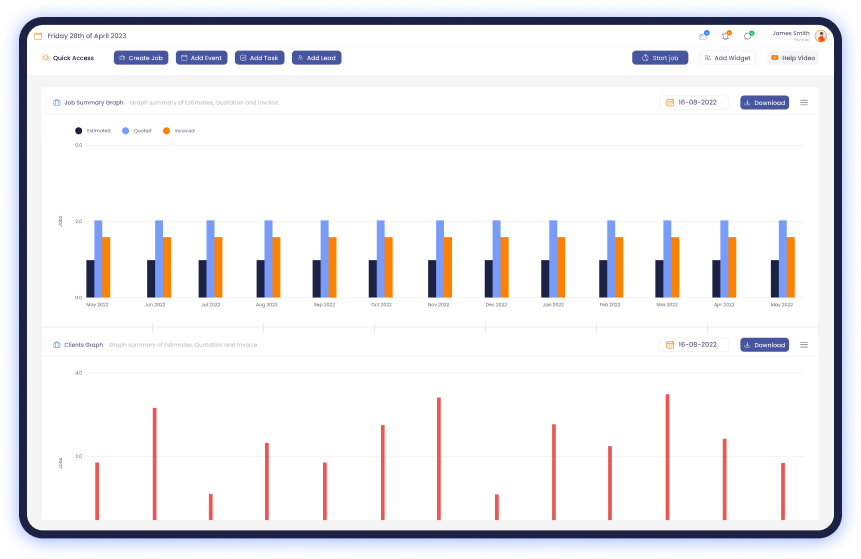
- simple dashboards for job profitability and team utilisation
Operational discipline and the right systems together stop margin leakage and free managers to focus on growth rather than fire-fighting.
Across our work with service teams we consistently see that firms which standardise processes and connect systems regain control of margins and deliver a better customer experience. If you want practical help designing that approach, start by reviewing the core platform capabilities at https://www.cq.mlademos.co.uk/ and then test them against your workflows in a demo.
The construction industry has long been a cornerstone of urban development and economic growth. However, with the rapid expansion of cities and the increasing demand for infrastructure, the environmental footprint of construction activities has become a pressing concern. As the world grapples with the challenges of climate change, resource depletion, and environmental degradation, the focus on sustainability in construction has never been more crucial.
The Environmental Impact of Traditional Construction
Historically, construction processes have been resource-intensive. From the extraction of raw materials to the energy consumed during building processes, traditional construction methods have had significant environmental implications. For instance, the production of cement, a primary ingredient in concrete, is responsible for approximately 8% of global CO2 emissions. Additionally, construction waste often ends up in landfills, contributing to land degradation and groundwater contamination.
Current Sustainable Practices in Construction
Recognizing these challenges, the construction industry has been undergoing a transformation. Sustainable construction practices are now at the forefront:
Green Building Materials: Materials like bamboo, recycled steel, and low-VOC paints reduce environmental impact. Bamboo, for instance, grows rapidly and is a renewable resource, making it an eco-friendly alternative to traditional timber.
Energy Efficiency: The integration of solar panels, green roofs, and energy-efficient windows reduces energy consumption, leading to lower greenhouse gas emissions.
Water Conservation: Techniques such as rainwater harvesting and greywater recycling help in reducing freshwater consumption, preserving this precious resource for future generations.
Waste Management: Recycling initiatives and the use of prefabricated components minimize construction waste, diverting significant amounts from landfills.
Benefits of Sustainable Construction
The shift towards sustainable construction is not just beneficial for the environment but offers a plethora of advantages:
Economic Benefits: While sustainable construction might have higher initial costs, the long-term savings in energy and water bills, coupled with increased property values, make it a sound investment.
Environmental Benefits: Reduced carbon footprints and conservation of natural resources ensure that we leave a habitable planet for future generations.
Social Benefits: Sustainable buildings offer healthier living spaces, free from harmful chemicals and pollutants. They also contribute to global sustainability goals, fostering a sense of community responsibility.
Challenges in Adopting Sustainable Construction
Despite its evident benefits, the road to sustainable construction is fraught with challenges. The initial investment required for green technologies can be daunting for many. There's also a need for retraining professionals to understand and implement sustainable practices. Moreover, in certain regions, there's a lack of availability of sustainable materials and technologies.
The Future of Green Construction
The future looks promising for sustainable construction. With advancements in technology, we are witnessing the rise of smart buildings equipped with AI and IoT, optimizing energy consumption in real-time. The concept of net-zero buildings, which produce as much energy as they consume, is gaining traction. Urban farming, integrated into building designs, is another trend set to revolutionize the construction industry.
In conclusion, sustainability in construction is not just a trend but a necessity. As we stand at the crossroads of environmental challenges, the construction industry has a pivotal role to play in shaping a sustainable future. It's a collective responsibility to adopt, promote, and advocate for green construction practices, ensuring a greener, healthier, and prosperous future for all. Check out what CQ is doing for business management software within the construction software and see how we are creating the most complete standalone software in the industry.
## Why the gap between finance and project management costs your business
Finance and project teams often operate with different priorities and different data. That mismatch creates delays, reactive decisions and margin leakage. When project managers record labour and materials in spreadsheets or in siloed field apps, finance teams cannot recognise costs until much later. The result is late invoicing, inaccurate job profitability and cashflow surprises.
Across hundreds of demonstrations with growing service businesses, we consistently see the same root causes:
- inconsistent job costing and coding,
- late or missing timesheets,
- manual reconciliation between job records and ledgers,
- poor visibility of committed costs and variations.
These problems are predictable. They are solvable — but only if workflows are connected end-to-end.
## What broken handoffs look like
Broken handoffs between teams show up in obvious ways:
- Project managers approve variations in the field, but those variations don’t reach finance until a weekly review, delaying revenue recognition.
- Timesheets arrive late or with incorrect cost codes, causing labour to be allocated to the wrong job.
- Purchase orders are raised after subcontractor invoices are posted, leading to mismatched commitments and surprise overspends.
- Finance relies on month-end journal entries to patch job P&Ls, which hides real-time margin erosion.
When this happens, decision-makers operate on stale or incomplete data. That drives defensive cost-cutting or risky investment decisions.
## What aligned workflows must deliver
To close the gap, align workflows around a single source of truth that enforces the same job structure, cost codes and approvals for both teams. Connected workflows create operational visibility.
Practically, that means:
- job-level P&L and committed costs available in real time,
- automated transfer of approved variations into finance as invoices or revenue adjustments,
- integrated timesheets that validate labour against scheduled tasks,
- role-based dashboards so project managers see delivery risks and finance sees accruals and cashflow impact.
These controls reduce manual reconciliation, speed invoicing and produce accurate job margins in near real time.
## The measurable benefits
When workflows are connected you should expect tangible outcomes:
- Faster invoicing and fewer disputes — improved cash collection and reduced debtor days.
- Accurate job profitability — decisions to bid, extend or pause work are evidence-based.
- Lower admin overhead — fewer month-end fixes and reconciliation tasks.
- Better supplier and subcontractor management — purchase orders, commitments and invoices align.
We consistently see that businesses which close the workflow gaps reduce margin leakage and unlock management time previously spent fixing mistakes.
## Practical steps to implement alignment
Start with these actions:
- Standardise job structures and cost codes across project and finance systems.
- Enforce approvals for variations in the field that automatically create finance entries.
- Integrate time capture with payroll and job costing so labour posts to the correct job immediately.
- Use dashboards that highlight jobs with negative margins, missing timesheets or unapproved variations.
Technical integration matters, but so does process discipline. Define who is responsible for each data point and automate the handoffs.
## Seeing it in the system
If you need an example of how this works with job costing, purchase ordering and invoicing connected, see the CQ platform overview at https://www.cq.mlademos.co.uk/. For a tailored demonstration focused on field service operations, request a demo at https://www.cq.mlademos.co.uk/landscaping-demo/. If you’re comparing systems and need a clear decision framework, read practical guidance on how to choose job management software at https://www.cq.mlademos.co.uk/how-to-choose-job-management-software/.
## Conclusion — stop managing by hindsight
The cost of disconnection is visible in every month-end scramble. Link your project delivery data and your financial ledgers so you can act on real-time margins, not hindsight. Prioritise integrated processes, automate the handoffs that cause error and measure the impact on cashflow and profitability. If your team spends more time fixing records than managing jobs, change the workflows before margins fall further.
## The communication problem in growing service businesses
Too many businesses treat team communication as a separate function: a chat app for quick messages, email for external and formal exchanges, project management boards for tasks, and shared drives for documents. That fragmentation creates gaps. Important decisions, risk notes and customer instructions live in different places — disconnected from the job records and financial information that operations teams need to act. The result is rework, missed steps, and frustrated teams who must hunt for context before they can do any work.
When messages, tasks and documents are disconnected, managers spend time stitching information together instead of organising work. Field operatives wait for clarifications that never arrive on the device they use on site. Administrators duplicate entries because a conversation never translated into an assignable task. These are operational faults, not personality problems; they point to process and tool choices. Connected workflows create operational visibility.
## Why "another channel" is rarely the answer
Adding another app — a specialised chat, a separate ticketing system, or a new file-sharing tool — can feel like progress. But if that app does not link conversations to job records, schedules and invoices, it simply increases overhead. You end up with the same problem framed in a different interface: more logins, more places to search, and more missed connections.
When a business starts comparing communication tools, it is easy to focus on immediate user-facing features such as message reactions, voice notes or integrations with calendars, rather than on whether each message becomes actionable and traceable inside the operational record. That short-term focus leads to purchasing decisions that improve user convenience but not operational control.
## Two short references to read next
Read more at [improving team communication with digital tools](https://www.cq.mlademos.co.uk/blog/improving-team-communication-with-digital-tools/).
See the practical benefits at [how integrated software improves team communication](https://www.cq.mlademos.co.uk/blog/fostering-seamless-team-communication-with-integrated-software/).
## How to evaluate communication tools for your operations
Choosing the right tool is not about bells and whistles — it is about whether the tool connects the types of information that matter to frontline teams and managers. Use this evaluation framework while you trial products.
### 1. Do messages link to tasks and job records?
Ask whether a message can be converted into an assignable task, linked to a specific job or appointment and retained in the job record. If a clarification from a customer or a last-minute instruction exists only in chat, the person who executes the work may never see it. The simple test: send a message, then create a task from it and confirm that the task appears on the technician’s job card and the office schedule.
What to look for in a tool:
- The ability to tag or attach a message to an existing job record.
- A simple workflow to turn chat threads into tasks with due dates and assignees.
- The message, task and job history remain visible together in the job record.
### 2. Can documents and photos stay with the job?
Photos taken on site, signed permits, and updated plans are most useful when they remain attached to the job. A separate file store that requires manual cross-referencing is rarely enough. During trials, upload a photo from a mobile device and check whether it appears on the job record in the office system and in the field user’s app.
What to check:
- Mobile upload that attaches media directly to a job.
- Persistent links between documents and the job’s timeline.
- Easy retrieval by job, customer or date.
### 3. Does the tool preserve audit trails and decision history?
Service and construction work often requires a record of why decisions were made, who authorised changes, and when instructions were issued. An effective tool keeps that history aligned with the job record, so financial and warranty decisions are defensible and simple to review.
Audit trail capabilities to test:
- Time-stamped records of messages, task assignments and document uploads.
- Clear indication of who changed job scope, costs or schedules.
- A searchable log tied to the job or customer account.
### 4. Are notifications smart and role-specific?
Notifications are useful only if they reach the right person at the right time. Too many notifications create noise; too few create delays. The right system lets you configure who receives what, based on role, task assignment or critical thresholds (for example, a safety incident or overdue permit).
Examples to try:
- Route job updates to the assigned technician and the office scheduler only.
- Escalate overdue safety checks to a supervisor after a configurable window.
- Suppress low-priority updates for mobile field workers during active jobs.
### 5. Does the system connect financial and scheduling records to communication?
A message that changes job scope should trigger a cost estimate revision, a schedule change or an approval workflow. If communication tools are disconnected from estimates, timesheets and invoices, you still need manual reconciliation. During evaluation, simulate a change request and follow it from the message to the estimate and invoice.
What success looks like:
- Messages that initiate scope changes update cost estimates and resource plans.
- Timesheet entries can be linked to job messages explaining additional work.
- Chargeable items added to a job are visible in the quoting and invoicing trails.
## Workflows to prioritise — practical patterns that reduce friction
Once you’ve decided to prefer connected systems, focus on a handful of workflows that produce outsized operational benefits. These are step-by-step patterns you can measure and refine.
### Workflow A — Message-to-task-for-field-execution
1. Customer or office leaves a message that requires action.
2. Convert the message to a task quickly, set priority and assign to a technician.
3. The task appears on the technician’s mobile job card with context and attached photos.
4. Technician updates the task status on completion; the job record updates automatically.
Operational benefit: fewer missed instructions and faster completion accountability.
### Workflow B — Photo/document capture with automatic job attachment
1. Technician uploads a photo or signed document from site using the job view on their mobile device.
2. The media is auto-attached to the job, time-stamped and logged with the uploader ID.
3. Office staff and future site teams can access the media directly from the job history.
Operational benefit: reduces disputes, speeds approvals and improves quality control.
### Workflow C — Change-order approval that connects to finance
1. Technician creates a scope-change request from job view after discovering additional work.
2. Request routes to a supervisor for approval; the request includes photos and a quick estimate.
3. Approved changes update the estimate and the next invoice draft, and the scheduler is notified.
Operational benefit: fewer unpaid extras and tighter control over scope creep.
### Workflow D — Handover and shift-change briefings recorded on the job
1. Outgoing crew records a short handover note in the job record at shift end.
2. Incoming crew reads the note from their job list and acknowledges it.
3. Any unresolved items can be automatically converted into morning tasks for the incoming crew.
Operational benefit: smoother transitions and fewer morning clarifications.
## Practical checklist for trials and procurement
Use this checklist while piloting tools with your team. Run each test with real jobs, not demo data.
- Convert a chat message into an assignable task and verify it shows on a job card.
- Upload photos from a mobile device and confirm they remain attached to the job in the office view.
- Simulate a scope change and follow it from message to estimate to invoice.
- Check audit logs for messages, approvals and document uploads on a sample job.
- Configure notification rules and test them with real role accounts.
- Measure time spent searching for job context before and after using the tool during the pilot period.
- Validate that archived jobs still show the full message and document history.
- Confirm user permissions are granular enough for supervisors, technicians and admins.
- Test offline behaviour: can mobile users capture notes and photos offline and sync later?
When you negotiate contracts, include acceptance criteria based on these tests. Require data export and clear migration provisions to avoid lock-in risk.
## Organising adoption: people and process, not just product
A connected tool only helps if people use it in a consistent way. Plan adoption around workflows, not features.
### Training and templates
- Teach teams the specific workflows you want them to use (message-to-task, photo attachment, change-order).
- Provide message templates for common scenarios (site arrival, safety incident, scope change) so messages include the fields that automatically drive tasks.
### Governance and rules
- Define which kinds of messages must be attached to jobs and who can approve changes.
- Limit new channels where possible; insist that key communications be recorded in the job record.
### Measure and iterate
- Track metrics: time to task completion, number of jobs with complete photo records, frequency of missing approvals.
- Adjust notification rules, templates and training based on observed bottlenecks.
## Technical and security considerations
When evaluating products, remember data safety and practical access.
- Ensure media and messages are stored with time stamps and uploader IDs so job history is trustworthy.
- Confirm that mobile apps support offline capture and later syncing without losing message-to-job links.
- Check role-based access so commercial and confidential information is protected.
- Verify data export and backup procedures in case you need to migrate or audit historical job records.
## How to align a software purchase with scaling decisions
A communication tool should be part of a broader operating model as your business grows. If you are choosing software while planning to increase volume or add teams, ensure the tool scales with those needs. For practical guidance, see [how to choose job management software when scaling](https://www.cq.mlademos.co.uk/how-to-choose-job-management-software/).
For a practical illustration of a connected platform designed for service businesses, see [CQ Business Management Software](https://www.cq.mlademos.co.uk/).
## Implementation pitfalls to avoid
- Treating the tool as optional for field teams: if the field team does not adopt it, the connection collapses.
- Allowing emergency shortcuts that bypass job records: exceptions become habits.
- Over-notification: too many non-actionable alerts reduce responsiveness to critical ones.
- Ignoring mobile offline scenarios: poor connectivity must not break the chain between message and job.
Design policies that enforce the lightweight discipline you need, and maintain an escalation path when the process fails.
## Measuring success: what to track post-implementation
After rollout, track outcomes that connect communication choices to operational performance:
- Rate of job rework attributed to miscommunication.
- Average time from customer message to actionable task assignment.
- Percentage of jobs with complete photo and document records.
- Approval turnaround time for change orders.
- Field user satisfaction with the ease of capturing and accessing context.
Collect qualitative feedback in regular check-ins and use it to adapt templates and notification rules. Remember, the aim is to reduce time spent hunting for context and increase first-time-right outcomes.
## Frequently Asked Questions
### What is the difference between a communication channel and a connected workflow?
A communication channel is simply a place where messages are exchanged (chat, email, SMS). A connected workflow links messages to tasks, job records, documents and financial actions so that a piece of information produces a reliable operational outcome rather than being an isolated note.
### How do connected workflows reduce operational risk?
When messages, approvals and documents are attached to the job record with timestamps and user IDs, decisions can be audited and reproduced. That visibility reduces disputes about scope, authorisation and timing because the operational history is preserved in a single place.
### Can my existing chat app integrate with a job management system?
Some chat apps offer integrations, but an integration that only copies messages without linking them to job records and tasks may still leave gaps. The key is whether the integration preserves actionability (task creation, attachments, and audit trails) within the job context.
### How should I train field teams to use a connected system?
Keep training focused on workflows rather than features. Teach specific actions—how to attach a photo to a job, how to convert a message into a task, how to request an approval. Use short job-based role-play and provide quick reference templates for common scenarios.
### What happens offline or in low-connectivity areas?
Choose a system that lets field users capture messages, photos and signatures offline and sync them when connectivity returns. Validate this in a pilot by having field users perform common tasks in airplane mode and confirming data syncs cleanly.
### How do I prevent notification overload for mobile teams?
Set notification rules so field teams only receive alerts relevant to their assigned jobs or urgent escalations. Use role-based filters, and let workers set “do not disturb” modes for active jobs where safe to do so.
### How can I prove the ROI of moving to a connected workflow approach?
Measure baseline indicators such as time spent searching for job context, frequency of rework due to miscommunication, and approval turnaround times. After implementation, track the same metrics and compare. Operational improvements show as reduced admin time, fewer revisits and faster approvals.
## Conclusion
Choosing digital communication tools for service and field-based teams is less about adding channels and more about linking messages, tasks, documents and job records into reliable workflows. Prioritise tools and processes that make it easy for a message to become a tracked action within the job lifecycle; this is where operational control and clearer accountability come from.
If you want to see how these ideas work in practice, you can [book a free CQ demo](https://www.cq.mlademos.co.uk/landscaping-demo/).